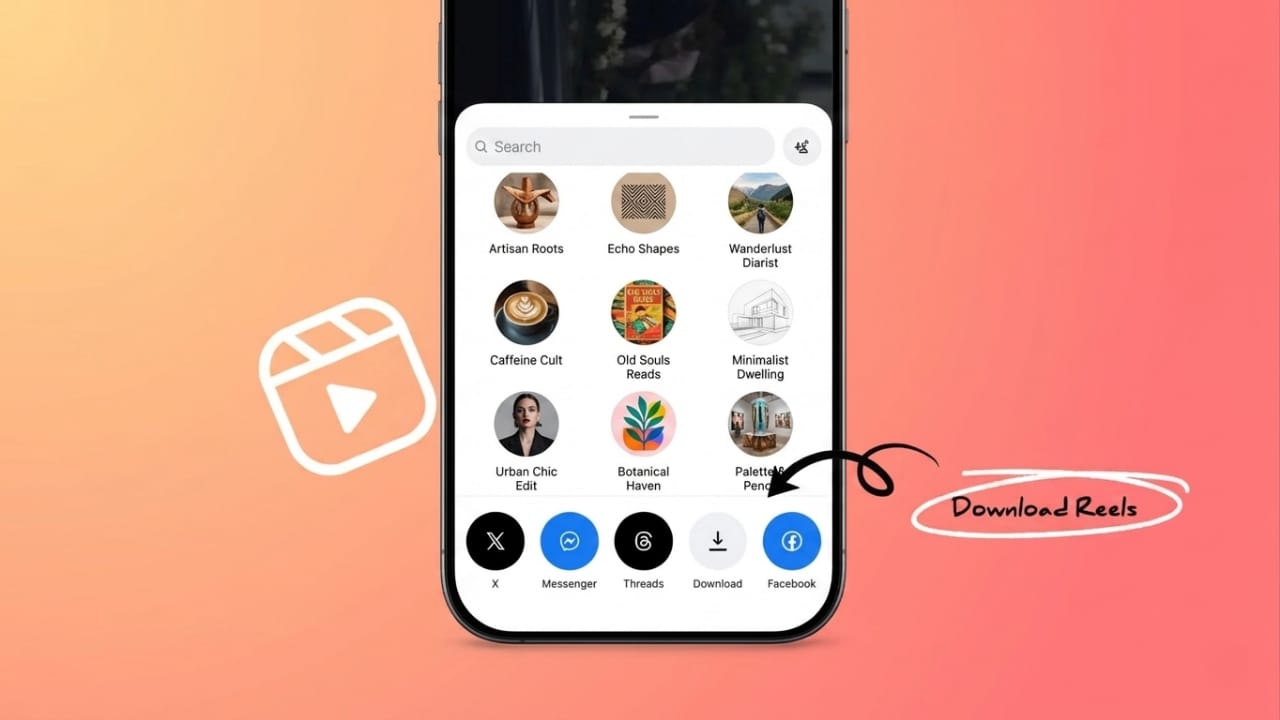
Instagram is full of useful and entertaining videos. People watch cooking tutorials, study tips, fitness clips, travel vlogs, funny reels, and much more every day. Sometimes you may want to keep a video for offline viewing or save your own content before it disappears.
Since Instagram does not provide a direct download button for most videos, many users look for safe and simple ways to save content. The good news is that there are several easy methods available in 2026 that work smoothly on mobile phones, tablets, and computers.
Also read: I Tried Android’s One-Handed Mode — It’s Surprisingly Useful
Save Your Own Instagram Stories Easily
Instagram already includes a built-in option that allows users to save their own stories directly from the app. This is the safest and simplest method because it works through the official Instagram platform.
Open Your Story
First, launch the Instagram app and log into your account if needed.
Now open the story you uploaded earlier. Both photos and video stories can be saved using this method.
Tap the More Option
Inside the story screen, look for the three-dot menu usually placed near the bottom or top corner.
Tap on it to open additional options related to your story.
Select the Save Option
After opening the menu, choose the Save option.
Instagram may show different saving choices depending on the type of story. Select Save Story if you want to keep the complete version with stickers, text, music, or effects included.
Save Original Photos Without Effects
If you only want the original image without captions, stickers, or filters, choose Save Photo instead.
This option saves the clean version of the image directly to your device storage.
Why Saving Stories Can Be Helpful
Instagram stories disappear automatically after 24 hours. Many people forget to save important memories before they are removed.
Keeping backup copies can help in many situations:
- Family memories stay safe
- Travel moments remain available offline
- Creators can reuse content later
- Important clips are protected from accidental loss
Offline access is also useful during travel or when internet speed is poor.
Organize Downloaded Videos Properly
If you regularly save videos, keeping them organized can save time later.
Create separate folders for:
- Travel videos
- Educational tutorials
- Work content
- Entertainment clips
- Personal memories
Good organization makes it easier to find videos quickly when needed.
Keep Backup Copies for Safety
Phones can stop working unexpectedly or files may get deleted accidentally. That is why keeping extra backups is always a smart idea.
You can store videos:
- On cloud storage services
- On external drives
- On another device
Multiple backups provide extra protection for important content.
Can You Save Videos Posted by Other Users?
Many users also want to save reels or videos uploaded by other creators. However, Instagram limits direct downloading to protect creator rights and copyrighted content.
Before saving or sharing someone else’s work, it is important to respect ownership rules.
Ask the Creator Directly
The safest and most respectful option is to contact the creator through Instagram messages and request the original video.
Many creators are happy to share content when asked politely.
This approach helps avoid copyright issues and supports ethical content sharing online.
Use Instagram’s Bookmark Feature
If you only want to watch a video again later, downloading may not even be necessary.
Instagram offers a bookmark feature that lets users save posts and reels directly inside their accounts.
Saved content can be accessed anytime from your profile settings.
Why Instagram Restricts Downloads
Instagram protects creators by limiting unauthorized downloading and reposting.
These restrictions help:
- Protect original creators
- Reduce content theft
- Encourage fair sharing practices
- Maintain healthier online communities
Respecting these rules helps support content creators and keeps social media safer for everyone.
Save Videos Only for Personal Use
Downloaded videos should mainly be used for personal viewing, learning, or offline entertainment.
Avoid:
- Reposting without permission
- Removing creator credits
- Using videos commercially without approval
Giving proper credit is always important when sharing someone else’s work.
Using Online Instagram Video Downloaders
Another popular method involves browser-based Instagram download tools. These websites allow users to save videos without installing extra apps.
Many people prefer browser tools because they are quick and simple to use.
Why Browser Downloaders Are Popular
Users often avoid unknown third-party apps because:
- Some apps request unnecessary permissions
- Certain apps slow down devices
- Storage space may become limited
Browser-based tools remove the need for additional installations.
Steps to Save Instagram Videos Online
Follow these simple steps carefully:
- Open Instagram and find the video you want to save
- Copy the video link using the Share option
- Visit a trusted Instagram downloader website
- Paste the copied link into the search box
- Press the download button
- Save the file to your preferred folder
Always choose reliable websites that respect user privacy and do not ask for passwords.
Avoid Unsafe Download Websites
Some websites may request sensitive information or show misleading ads. Stay away from platforms asking for:
- Instagram passwords
- Banking information
- Unnecessary app installations
Trusted tools usually work without account registration.
High-Quality Downloads Improve Viewing
Good download tools maintain the original video quality during the saving process.
Clear videos are especially useful for:
- Educational tutorials
- Marketing research
- Creative inspiration
- Professional editing references
Better quality improves the overall viewing experience.
Fast Downloading Saves Time
Quick download tools are useful for people who save videos regularly.
Social media managers, marketers, and creators often handle large amounts of content daily. Faster tools help improve workflow and productivity.
Downloaders Work Across Multiple Devices
Modern online downloaders usually support:
- Android phones
- iPhones
- Tablets
- Laptops
- Desktop computers
This flexibility makes downloading more convenient for different types of users.
Educational Uses of Saved Instagram Videos
Many students use Instagram for learning purposes. Tutorials related to language learning, graphic design, editing, coding, fitness, and photography are extremely popular.
Offline access allows students to study anytime without depending on internet connectivity.
Bloggers and Creators Use Saved Videos for Inspiration
Content creators often study successful Instagram videos to understand:
- Editing styles
- Storytelling methods
- Video pacing
- Audience engagement techniques
This can help improve creativity and future content planning.
Offline Entertainment During Travel
Travelers often face weak internet signals during long trips. Saved videos provide entertainment without using mobile data repeatedly.
Offline viewing can make journeys more comfortable and convenient.
Also read: How to Fix Voice Recorder Problems on Samsung Phones
Frequently Asked Questions
Is it legal to save Instagram videos?
Saving videos for personal offline viewing is generally safer, but reposting or commercial use without permission may create copyright problems.
Can I download Instagram reels directly?
Instagram does not provide a direct download option for most reels shared by others. Many users use browser-based download tools instead.
Are online Instagram downloaders safe?
Some are safe, but users should only use trusted websites that do not request passwords or personal information.
Do saved Instagram stories keep stickers and effects?
Yes. Using the Save Story option saves stickers, text, and visual effects along with the story.
Can I save videos without installing apps?
Yes. Browser-based downloaders allow users to save videos directly through web browsers.
Conclusion
Saving Instagram videos in 2026 has become much easier with built-in Instagram features and browser-based tools. Users can safely save their own stories directly from the app or use trusted online services for offline viewing.
The most important thing is to protect privacy, avoid unsafe websites, and respect creator rights while downloading content. Responsible usage helps create a better and safer online experience for everyone.

Jatin Rajput (Tech Golu) — Tech blogger & YouTuber with 6+ years of experience in WhatsApp, Instagram, Facebook, and mobile guides. Founder of TechGolu.in.