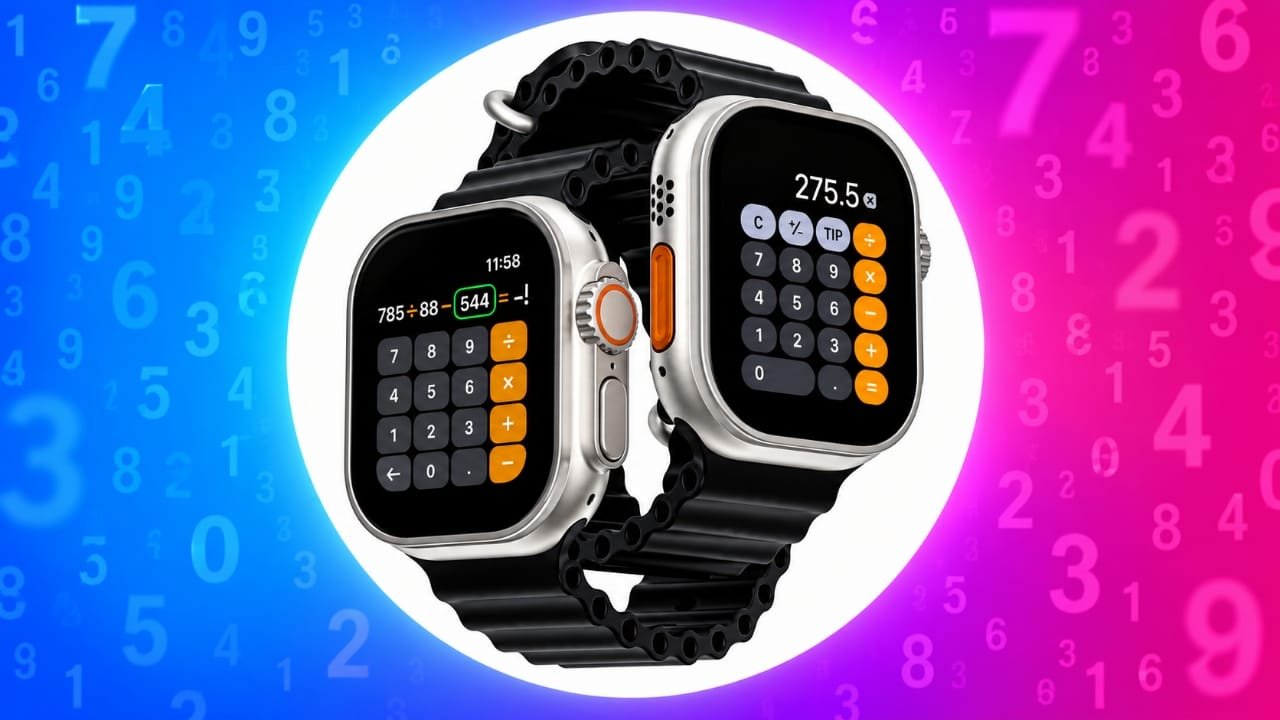
You don’t always need to take out your iPhone to do a quick calculation. If you have an Apple Watch, you can use its built-in Calculator app directly from your wrist.
Besides basic calculations, the app also includes useful options for working out tips and dividing a bill between multiple people. You can even add Calculator to a compatible watch face for faster access.
Here’s everything you need to know about using Calculator on Apple Watch.
Also read: iPhone Duo vs Samsung Galaxy Z Fold 8: Price, Camera, Display and Specs Compared
How to Add Calculator to Your Apple Watch Face
Adding Calculator as a complication lets you open it quickly from the watch face.
There are two ways to add it: directly from the Apple Watch or through the Watch app on your iPhone.
Important: If you remove the Calculator app from your iPhone, it will also be removed from your Apple Watch.
Add Calculator From Apple Watch
Not every watch face supports the Calculator complication. If your current face supports it, follow these steps:
- Press the Digital Crown to view the watch face.
- Touch and hold the current watch face.
- Tap Edit.
- Swipe until you reach the Complications section.
- Select the position where you want Calculator to appear.
- Scroll through the available options and select Calculator.
- You can also rotate the Digital Crown to move through the available choices.
- Press the Digital Crown when you’re finished.
The Calculator shortcut should now appear in the selected position on your watch face.
Add Calculator Using Your iPhone
You can also manage your watch face complications from the Watch app on your iPhone.
- Open the Watch app on your iPhone.
- Tap My Watch.
- Select the watch face you want to customize.
- Find the Complications section.
- Choose the location where you want Calculator to appear.
- Scroll through the available options and select Calculator.
Once saved, you can tap the Calculator complication whenever you want to open the app.
How to Open Calculator on Apple Watch
There are a couple of simple ways to launch Calculator.
From the Watch Face
If Calculator has been added as a complication:
- Open your watch face.
- Tap the Calculator icon in the position where you added it.
The app will open immediately.
From the Apple Watch App List
You can also open Calculator without adding it to your watch face.
- Press the Digital Crown.
- Find Calculator in the list of apps.
- Tap the Calculator icon.
How to Calculate a Tip and Split a Bill
The Calculator app can also help when you’re having a meal with friends or family and need to divide the bill.
Instead of calculating the tip and individual amounts manually, you can enter the bill amount and let the Apple Watch handle the calculation.
Follow these steps:
- Open the Calculator app on your Apple Watch.
- Enter the total bill amount.
- Tap TIP.
- Adjust the tip percentage by rotating the Digital Crown.
- Tap People.
- Use the Digital Crown to select the number of people sharing the bill.
The app supports splitting the bill between up to 50 people.
When the bill is divided equally, Calculator can show the tip amount, the final total, and the amount each person needs to pay.
Use Siri for Quick Calculations
You don’t always have to open the Calculator app for a simple calculation. Siri can also handle basic math questions.
To use Siri, press and hold the Digital Crown and ask your calculation. For example, you could say:
“What’s 7 percent of 500?”
Siri will provide the result without requiring you to enter the numbers manually.
Calculator Tip Feature May Not Be Available Everywhere
The tip and bill-splitting options aren’t necessarily available in every country or region. If you don’t see the TIP option on your Apple Watch, regional availability may be the reason.
Also read: Download iPhone 18 Pro and Pro Max Wallpapers in Full Resolution
Final Thoughts
The Calculator app on Apple Watch is a small but useful feature for everyday situations. You can use it for normal calculations, quickly work out a tip, or divide a bill when you’re eating out with other people.
Adding Calculator to a compatible watch face makes it even easier to access whenever you need it. For simple calculations, Siri can also save you a few extra taps.

Jatin Rajput (Tech Golu) — Tech blogger & YouTuber with 6+ years of experience in WhatsApp, Instagram, Facebook, and mobile guides. Founder of TechGolu.in.