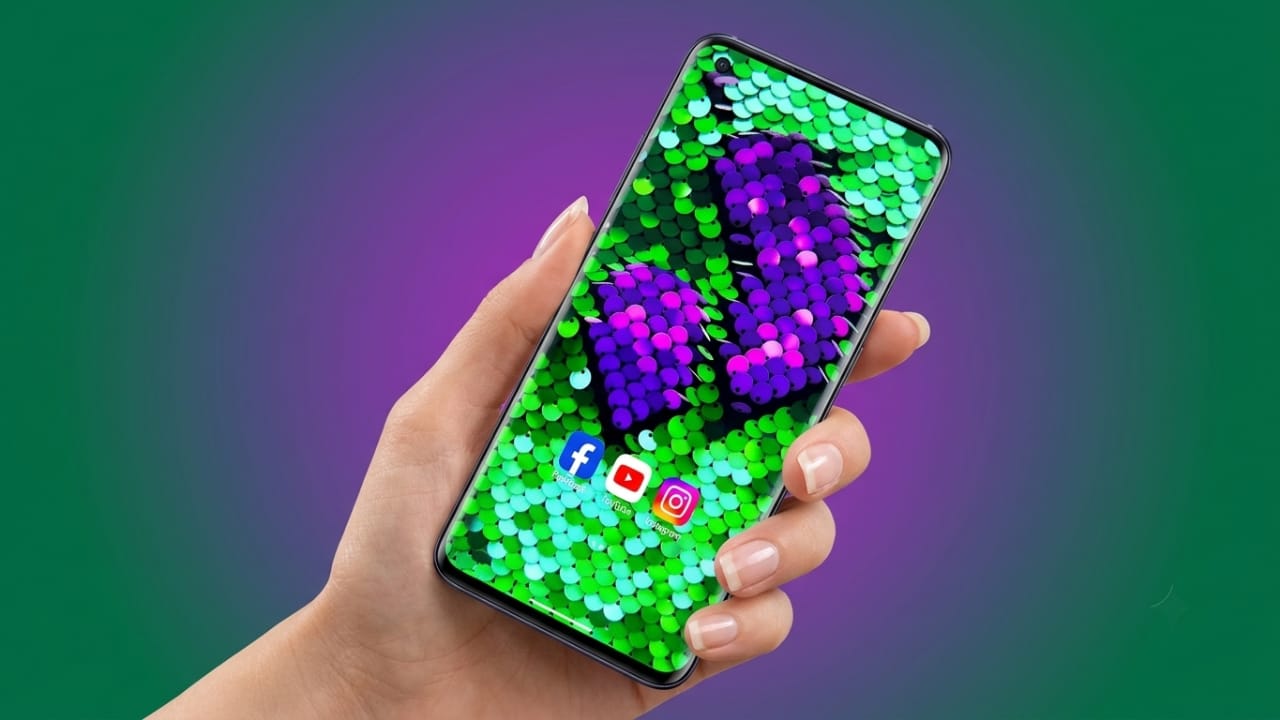
Your smartphone is something you use every day, so it’s natural to want it to look unique. While many people use regular wallpapers, live wallpapers can make your home screen feel more colorful and interactive. If you’re searching for a wallpaper app that offers eye-catching animations and a fresh visual experience, Sequin Flip Live Wallpaper is worth exploring.
This app brings a sparkling sequin-style effect to your Android device. As you touch or swipe across the screen, the sequins flip and reveal different colors, creating an enjoyable and interactive animation.
Also read: GO Launcher S: A Simple Way to Customize Your Android Phone
What Is Sequin Flip Live Wallpaper?
Sequin Flip Live Wallpaper is an Android live wallpaper app designed to simulate the look of a real sequin board. The screen is covered with thousands of tiny sequins that react to your finger movements. Every swipe changes their direction and color, making your home screen feel lively and dynamic.
The effect is inspired by physical sequin displays often seen in decorations and artwork, giving your phone a creative appearance.
Key Features
Interactive Touch Effect
One of the most interesting features is the touch response. When you move your finger across the screen, the sequins flip instantly, creating smooth and satisfying animations.
Realistic Visuals
The app uses fluid animations that make the sequins appear natural. The movement feels responsive and adds depth to your wallpaper.
Color Customization
You can choose from different color combinations to match your personal style. This allows you to create a wallpaper that fits your preferences.
Animated Home Screen
Instead of using a static background, the app keeps your home screen active with moving visual effects whenever you interact with it.
Simple to Use
The interface is clean and beginner-friendly. Setting the wallpaper takes only a few moments, even if you’ve never used a live wallpaper before.
Why Try This App?
If you enjoy customizing your Android device, this app offers an easy way to make your phone stand out.
Some benefits include:
- Gives your home screen a fresh and stylish appearance.
- Adds interactive touch animations.
- Offers multiple customization options.
- Creates a more engaging user experience.
- Lets you experiment with different color themes.
A Relaxing Visual Experience
Many users enjoy interactive wallpapers because they can be fun to use throughout the day. Watching the sequins flip with every swipe can feel relaxing and satisfying, similar to playing with a simple digital fidget toy.
While experiences may vary from person to person, the interactive design can make everyday phone use more enjoyable.
Battery Performance
Live wallpapers generally use more power than standard static wallpapers because they display continuous animations.
Sequin Flip Live Wallpaper is optimized for modern Android devices, so battery usage is usually reasonable during normal use. However, actual performance depends on your phone model, screen settings, and overall device usage.
Personalization Options
The app includes several customization settings, such as:
- Adjusting sequin size
- Choosing different color combinations
- Controlling animation speed
- Selecting background styles
- Modifying visual effects
These options allow you to create a wallpaper that matches your own taste.
Who Should Use It?
This app may be a good choice for:
- Android customization enthusiasts
- Users who enjoy live wallpapers
- People who like creative visual designs
- Anyone looking for a unique home screen
- Users interested in interactive wallpaper effects
Advantages
- Attractive visual design
- Smooth touch animations
- Multiple customization features
- Easy setup process
- User-friendly interface
- Interactive home screen experience
Things to Keep in Mind
Although the app offers an enjoyable experience, there are a few points to consider:
- Performance may vary on older Android devices.
- Live wallpapers can use slightly more battery than static wallpapers.
- Extended use may consume additional system resources on some phones.
Why Smartphone Customization Is Popular
Personalizing a smartphone has become a common trend. From icons and themes to widgets and wallpapers, many users enjoy creating a device that reflects their style.
Interactive wallpapers like Sequin Flip Live Wallpaper add another layer of personalization by combining attractive visuals with touch-based animations.
How to Install Sequin Flip Live Wallpaper
Installing the app is simple:
- Open the Google Play Store.
- Search for Sequin Flip Live Wallpaper.
- Tap Install.
- Open the app after installation.
- Choose your preferred colors and settings.
- Select Set Wallpaper and apply it to your home screen.
Within a few moments, your Android device will have a fresh and interactive appearance.

Final Thoughts
If you’re looking for a creative way to refresh your Android home screen, Sequin Flip Live Wallpaper is an interesting option to consider. Its responsive touch effects, colorful animations, and customization features help create a more engaging wallpaper experience.
Whether you enjoy personalizing your phone or simply want something different from a traditional wallpaper, this app offers a visually appealing way to make your device feel more unique.

Jatin Rajput (Tech Golu) — Tech blogger & YouTuber with 6+ years of experience in WhatsApp, Instagram, Facebook, and mobile guides. Founder of TechGolu.in.