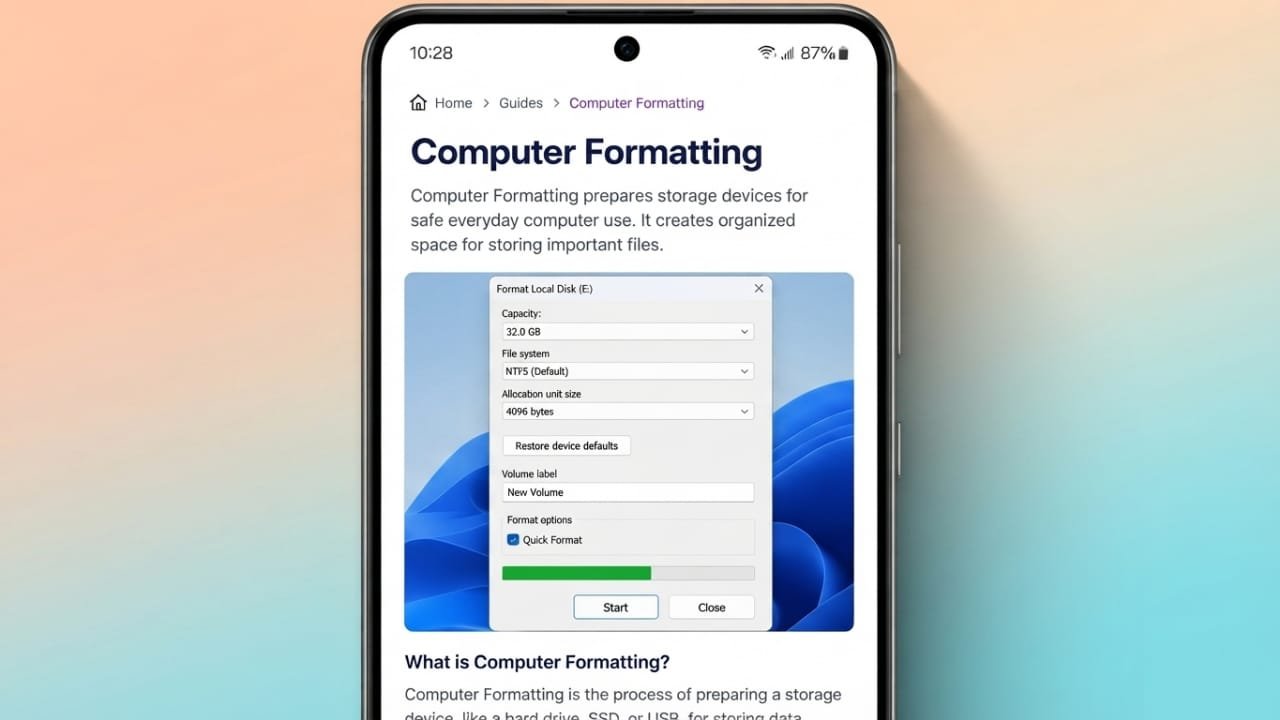
Computer formatting is the process of preparing a storage device so it can safely store and manage data. Whether you are using a hard drive, SSD, USB flash drive, or memory card, formatting creates the file structure that allows the operating system to save and organize files correctly.
Without formatting, a storage device cannot be used for normal file storage.
Also read: How to Fix Screenshots Not Working on Android
What Is Computer Formatting?
Formatting is the process of setting up a storage device with a file system. The file system acts like an organized directory that helps the operating system know where files are stored and how to access them.
Before a new storage device can be used, it usually needs to be formatted. The same process is also useful when you want to reuse a drive, change its file system, or solve certain storage-related problems.
Formatting works with many types of storage devices, including:
- Hard Disk Drives (HDDs)
- Solid State Drives (SSDs)
- USB flash drives
- Memory cards
- External storage devices
In most cases, formatting is performed on a partition rather than the entire physical drive. A partition is simply a section of a storage device that the operating system treats as a separate drive.
How Does Computer Formatting Work?
During formatting, the operating system creates a new file system on the selected storage space. This structure keeps track of where files are stored and makes it easier to read, save, rename, or delete data.
The formatting process also removes the existing file system information from the selected partition. After formatting, the drive appears empty and is ready to store new files.
A quick format mainly removes the file index, while a full format also checks the drive for storage errors. This is why a full format usually takes much longer to complete.
Common File Systems
Different operating systems use different file systems. Choosing the correct one improves compatibility and performance.
Some of the most common file systems are:
- NTFS – The standard file system used by most Windows computers.
- FAT32 – Supported by many older devices and operating systems.
- exFAT – Designed for large files and works well across multiple platforms.
- ext4 – A popular file system used by many Linux distributions.
The best choice depends on the device you plan to use and the operating system it supports.
Types of Computer Formatting
There are several types of formatting, and each serves a different purpose.
Quick Format
A quick format is the fastest option. It creates a new file system and removes references to existing files without checking the entire drive for errors.
Because the actual data may still remain on the storage device until it is overwritten, file recovery may sometimes be possible.
Full Format
A full format takes more time because it scans the storage device for bad sectors while creating a new file system.
This method helps detect storage problems and can improve the reliability of the drive before regular use.
High-Level Formatting
High-level formatting creates the file system that the operating system uses to organize files. This is the type of formatting that most users perform when preparing a drive.
Low-Level Formatting
Low-level formatting creates the physical structure of a storage device, such as tracks and sectors. For modern drives, this process is completed by the manufacturer before the device is sold. Most users never need to perform it themselves.
Why Is Formatting Important?
Formatting helps storage devices function correctly and allows operating systems to read and write data efficiently.
It is commonly used in situations such as:
- Setting up a new storage device
- Installing a fresh operating system
- Reusing an old hard drive or SSD
- Fixing file system errors
- Changing from one file system to another
- Preparing a USB drive or memory card for another device
Before formatting any storage device, it is always a good idea to back up important files because the process removes access to existing data.
Formatting the Windows System Drive
The drive that contains Windows cannot be formatted while the operating system is running because the files are currently in use.
Instead, formatting usually takes place during the Windows installation process or by using bootable recovery or installation media. A clean installation often includes formatting the system partition before Windows is installed again.
Can Files Be Recovered After Formatting?
In some situations, yes.
If a drive was quick formatted and new data has not replaced the old information, recovery software may be able to restore some files.
However, recovery is never guaranteed. The chances of success depend on factors such as the type of formatting performed and whether new data has been written to the drive afterward.
Keeping regular backups remains the safest way to protect important documents and personal files.
Other Uses of the Word “Format”
The word “format” is used in several different ways besides storage devices.
In word processing applications, formatting changes the appearance of text. This includes fonts, font sizes, spacing, colors, headings, and alignment.
In academic writing, formatting refers to document styles such as APA or MLA, which provide consistent rules for presenting information.
The word is also used to describe file types, including:
- MP3 for audio
- JPG for photographs
- PNG for images with high-quality graphics
- PDF for documents
Each file format is designed for a specific purpose.
Understanding Related Terms
People often confuse formatting with other storage-related actions, but they are not the same.
- Delete removes a file from normal view but may leave the data recoverable.
- Format prepares a storage device with a new file system and removes the previous file structure.
- Erase removes stored information more completely than a standard delete.
- Wipe securely overwrites existing data to make recovery much more difficult.
- Shred uses secure methods to permanently destroy recoverable file information.
Knowing these differences helps users manage their data more safely.
Also read: How to Use Clipboard on Android for Faster Copy and Paste
Conclusion
Computer formatting is an essential process that prepares storage devices for everyday use. It creates the file system needed to organize and manage files while helping operating systems store data correctly.
Whether you are setting up a new drive, reinstalling Windows, or fixing storage issues, understanding how formatting works can help you avoid unnecessary data loss. Before formatting any device, always back up your important files to keep them safe.

Jatin Rajput (Tech Golu) — Tech blogger & YouTuber with 6+ years of experience in WhatsApp, Instagram, Facebook, and mobile guides. Founder of TechGolu.in.