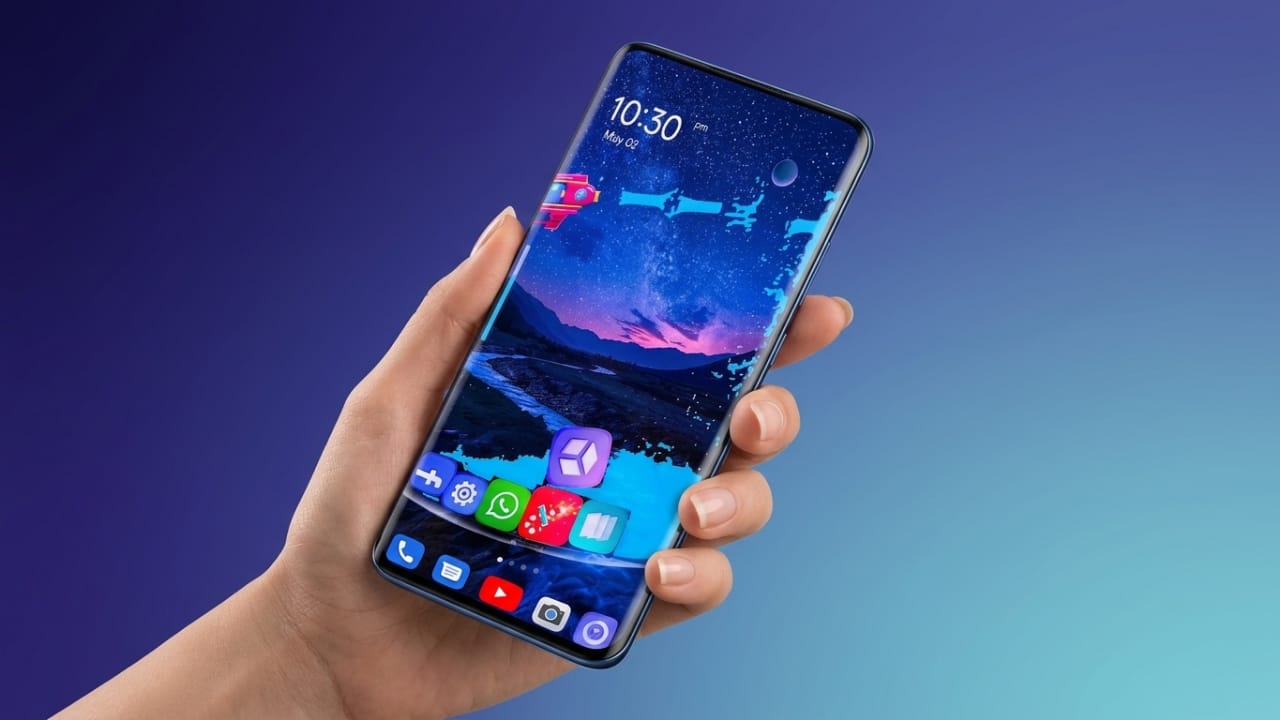
Your smartphone is something you use every day, so it’s natural to want it to match your personal style. Changing the home screen, icons, wallpapers, and overall appearance can make your device feel fresh and more enjoyable to use. GO Launcher S is an Android launcher designed to help you do exactly that.
It offers a wide range of customization options while keeping the interface smooth and easy to use. Whether you prefer a clean design or colorful themes, GO Launcher S provides several tools to personalize your Android experience.
What Is GO Launcher S?
GO Launcher S is an Android launcher that lets you change the appearance of your phone without modifying the operating system. It allows you to customize the home screen, app icons, wallpapers, transition effects, and other visual elements.
The launcher is designed to be lightweight, making it suitable for many Android devices. Its goal is to provide a clean, responsive, and customizable user interface.
Key Features of GO Launcher S
1. Stylish 3D Themes
One of the main attractions of GO Launcher S is its collection of 3D themes. These themes give your home screen a fresh look with modern visual effects.
Some highlights include:
- Animated visual effects
- Creative icon designs
- Modern interface styles
- Multiple theme choices
If you enjoy changing the appearance of your phone, these themes provide plenty of options.
2. Large Collection of HD Wallpapers
The launcher also includes a variety of high-quality wallpapers. You can choose wallpapers that match your mood or personal style.
Popular categories include:
- Nature
- Abstract
- Minimal
- Dark
- Colorful designs
Many wallpapers can be applied with just a few taps, making customization quick and simple.
3. Smooth Performance
Besides changing the appearance of your phone, GO Launcher S is built to provide a responsive experience.
Some benefits include:
- Lightweight interface
- Efficient resource usage
- Smooth navigation
- Suitable for many Android devices
Actual performance may vary depending on your phone model and system specifications.
4. Privacy Features
GO Launcher S also offers tools that help users organize and protect their apps.
Depending on the version available for your device, features may include:
- App hiding options
- App lock support
- Privacy settings for selected apps
Always review the app’s settings and permissions before enabling security-related features.
5. Flexible Customization
The launcher gives users control over many parts of the home screen.
You can customize:
- Icon size
- Grid layout
- Folder appearance
- Transition animations
- Home screen arrangement
These options allow you to create a setup that feels comfortable and easy to use.
6. Helpful Smart Tools
GO Launcher S also includes features designed to improve daily navigation.
Some available tools may include:
- Smart app organization
- Search shortcuts
- Gesture controls
- Quick access options
These features can make finding apps and navigating your phone more convenient.
Why Choose GO Launcher S?
There are many Android launchers available, but GO Launcher S remains a popular option because it combines customization with ease of use.
Some reasons users choose it include:
- Beginner-friendly interface
- Wide variety of themes and wallpapers
- Lightweight design
- Regular feature improvements
- Multiple personalization options
How to Get Started
Setting up GO Launcher S is straightforward.
- Download and install GO Launcher S from the Google Play Store.
- Open the app after installation.
- Set it as your default launcher if you want to use it regularly.
- Browse available themes and wallpapers.
- Adjust the customization settings to match your preferences.
Within a few minutes, you can give your Android device a completely different look.
Who Should Try GO Launcher S?
GO Launcher S may be a good choice for users who:
- Like customizing their Android phone
- Want a fresh home screen design
- Prefer a lightweight launcher
- Enjoy exploring different themes and wallpapers
- Want additional personalization options
Tips for a Better Experience
To keep your phone running smoothly:
- Choose a theme that matches your preference.
- Remove widgets you don’t use.
- Keep your launcher updated when new versions are available.
- Organize apps into folders for easier navigation.
- Restart your phone occasionally to maintain smooth performance.

Also read: Comfer Launcher Review: A Simple Android Launcher Built for Speed and Privacy
Final Thoughts
GO Launcher S is a feature-rich Android launcher that focuses on personalization and ease of use. From attractive themes and HD wallpapers to flexible home screen customization, it offers several ways to refresh the look of your device.
If you’re looking for an easy way to personalize your Android phone without making complex changes, GO Launcher S is worth exploring. Check its latest features and compatibility on the Google Play Store before installing, as available options may vary depending on your device and app version.

Jatin Rajput (Tech Golu) — Tech blogger & YouTuber with 6+ years of experience in WhatsApp, Instagram, Facebook, and mobile guides. Founder of TechGolu.in.