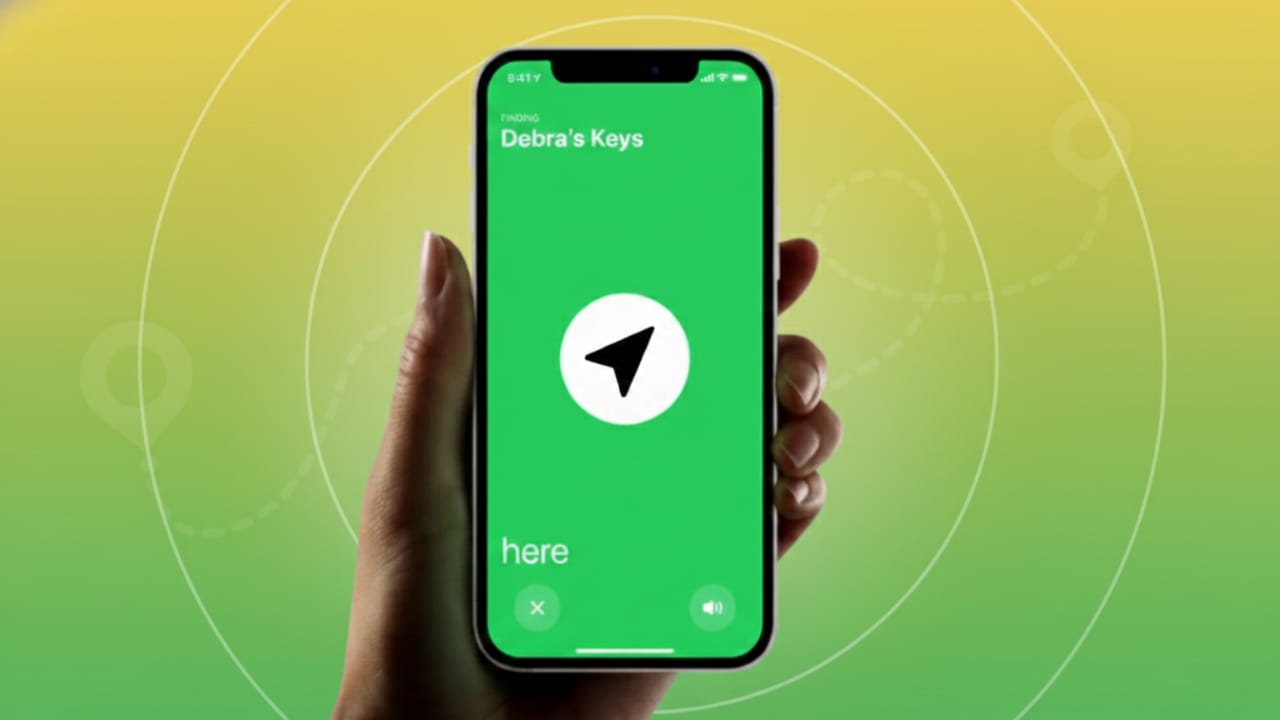
Apple AirTags make it much easier to locate everyday items like keys, backpacks, or luggage. When paired with an iPhone, an AirTag lets you see where your item is and helps you recover it quickly if it goes missing. This guide explains how to check an AirTag’s location, use sound and directions, and share its location with others when needed.
Also read: How Developers Can Use GPT-OSS-120B for Free: A Clear and Practical Guide
What You Need Before Tracking an AirTag
AirTags work with iPhones through the Find My app. To use them properly:
- The AirTag must be linked to your Apple ID.
- Your iPhone should be running iOS 14.5 or a newer version.
- Bluetooth and location services should be turned on.
Once everything is set up, you can start tracking your item anytime.
How to Check AirTag Location on iPhone
Finding your AirTag’s location takes only a few steps:
- Open the Find My app on your iPhone.
- Tap the Items tab at the bottom.
- Select the item that has the AirTag attached.
If the AirTag is detected, you will see its current location along with the last update time. If it is offline, the app will show the most recent known location instead. You can also enable Notify When Found, which sends you an alert as soon as the AirTag is detected again.
Make the AirTag Play a Sound
If you believe the item is nearby, sound can help:
- Open Find My and choose the item.
- Tap Play Sound.
- Follow the sound to locate the AirTag.
- Tap Stop Sound once you find it.
This works well for items hidden under cushions, inside bags, or in another room.
Get Directions to Your AirTag
When the item is far away:
- Select the item in the Find My app.
- Tap Directions.
- Apple Maps will open and guide you to the location.
This is useful when the AirTag is in another neighborhood or city.
Use Precision Finding on Supported iPhones
If you have an iPhone model with the U1 chip (such as iPhone 11 or newer), you get more accurate tracking:
- Walk while holding your phone.
- On-screen arrows guide you toward the AirTag.
- The screen shows both distance and direction.
This feature is especially helpful indoors or in crowded places.
Share AirTag Location with Other People or Airlines
Newer iOS versions allow you to share an AirTag’s location with trusted people or airline staff. This can be helpful if your luggage is delayed or lost.
How to Share the Location
- Open the Find My app.
- Go to Items and select the AirTag.
- Tap Share Item Location.
- Read the message about sharing details and tap Continue.
- A tracking link will be created.
Note: If the AirTag is close to your phone, you may see a message saying the item is with you. Sharing works best when the item is away.
Sending the Link
- Tap Share Link.
- Send it using Messages, email, or AirDrop.
- The link stays active for 7 days.
- You can stop sharing anytime before it expires.
- Your device must stay online for live updates.
How Others Use the Shared Link
Anyone with the link can open it in a browser.
- Friends or family can sign in using an Apple account.
- If they don’t have one, they can create it during login.
- Airline staff can access the link using their official email if supported.
This feature helps speed up luggage recovery, especially at airports.
What Information Is Visible Through the Link
People with access can see:
- Current or last known location
- Date and time of the last update
- Address and map position
- GPS coordinates and search area
- Owner’s contact details
- AirTag serial number
Extra tools on the page include:
- An info section explaining how tracking works
- Options to open the location in Maps
- Different map views like standard or satellite
Location updates are encrypted and refresh automatically, so manual page refresh is not needed.
Link Expiry and Session Limits
- The session may log out after long inactivity.
- The link expires automatically after 7 days.
- The owner can stop sharing at any time.
- Once sharing ends, viewers will see a message saying location updates are no longer available.
Also read: How to Fix the “Rate Limit Reached” Error in DeepSeek (Error 429)
Final Thoughts
Using an AirTag with the Find My app on iPhone is a simple and effective way to keep track of important belongings. You can check locations, play sounds, get directions, and even involve friends or airlines when needed. These features make finding lost items easier and far less stressful.

Jatin Rajput (Tech Golu) — Tech blogger & YouTuber with 6+ years of experience in WhatsApp, Instagram, Facebook, and mobile guides. Founder of TechGolu.in.