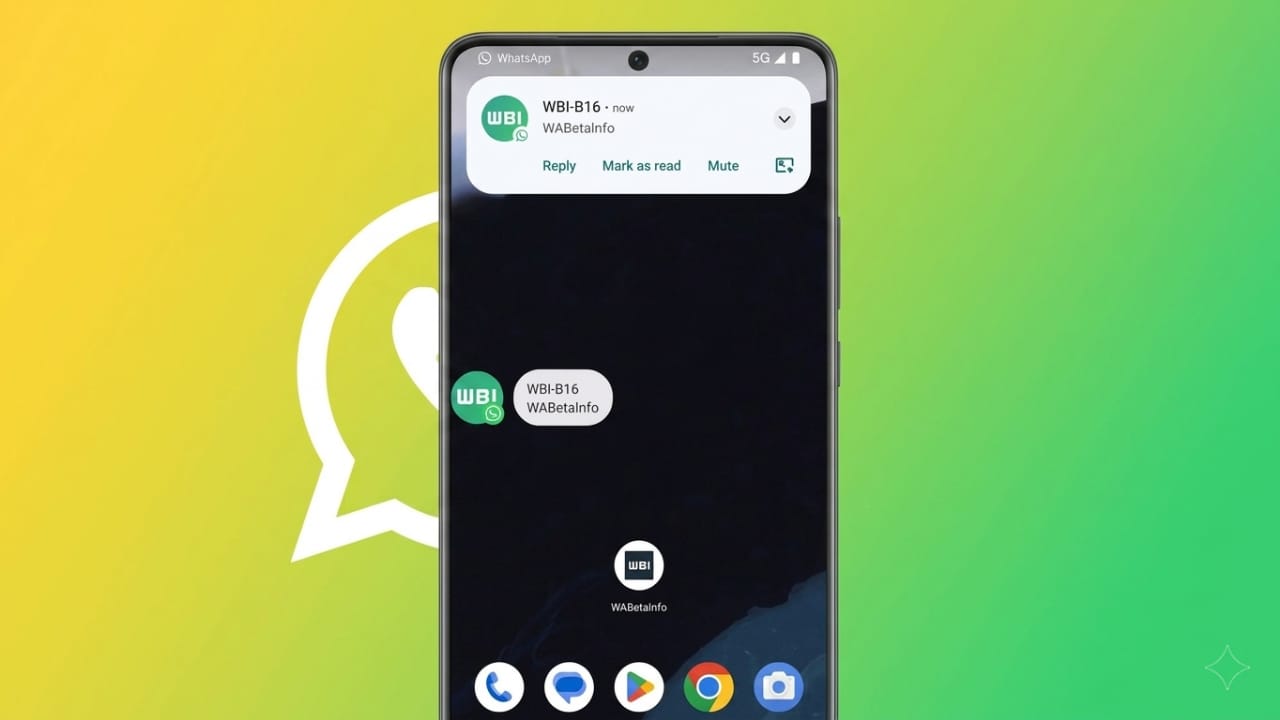
WhatsApp is reportedly developing a new chat bubble feature that could make messaging faster and more convenient. This update may allow users to reply to messages without closing the app they are currently using.
The feature is expected to work like floating chat bubbles already seen in some messaging apps. It can be useful for people who multitask often, although some users may prefer to keep their screen free from pop-up elements.
Also read: How to Install and Use BitLocker on Windows 11 in 2026
What Is the Chat Bubble Feature?
With this update, incoming messages may appear as small floating bubbles on the screen. Instead of opening WhatsApp fully, users could tap the bubble and open a mini chat window instantly.
This would make it easier to read messages and send quick replies while continuing to watch videos, browse websites, or use social media apps.
How It May Work
The system is likely to use Android’s built-in notification bubble support. When a new message arrives:
- A floating bubble may appear on screen
- The bubble could show the sender’s profile image
- Tapping it may open a small chat window
- Users could reply instantly without changing apps
This can save time and make conversations smoother during busy moments.
Main Benefits of Chat Bubbles
Some expected advantages of this feature include:
- Quick replies without opening the full app
- Easier multitasking while using other apps
- Faster access to active chats
- More convenient messaging experience
- Option to disable bubbles if not needed
Possible Interface Updates
Along with the bubble feature, WhatsApp may also refresh parts of its design. Reports suggest the top navigation bar could receive a cleaner look, possibly including updated branding or layout improvements.
These changes may also help create space for future features and improve overall navigation.
Android Compatibility
The feature is expected to work best on Android 10 and newer devices. Users with Android 11 or later may get a smoother experience because newer versions offer better support for notification bubbles.
Availability may depend on:
- Device model
- Android version
- System settings
- Regional rollout stages
Users may need to manually enable bubble notifications in phone settings.
Also read: How to Stop Browsers From Updating Automatically in 2026
Current Development Status
At the moment, the feature is still in development. It may first arrive for beta testers before being released to all users in future updates.
If launched widely, chat bubbles could become a useful tool for people who want faster replies and better multitasking while using WhatsApp.

Jatin Rajput (Tech Golu) — Tech blogger & YouTuber with 6+ years of experience in WhatsApp, Instagram, Facebook, and mobile guides. Founder of TechGolu.in.