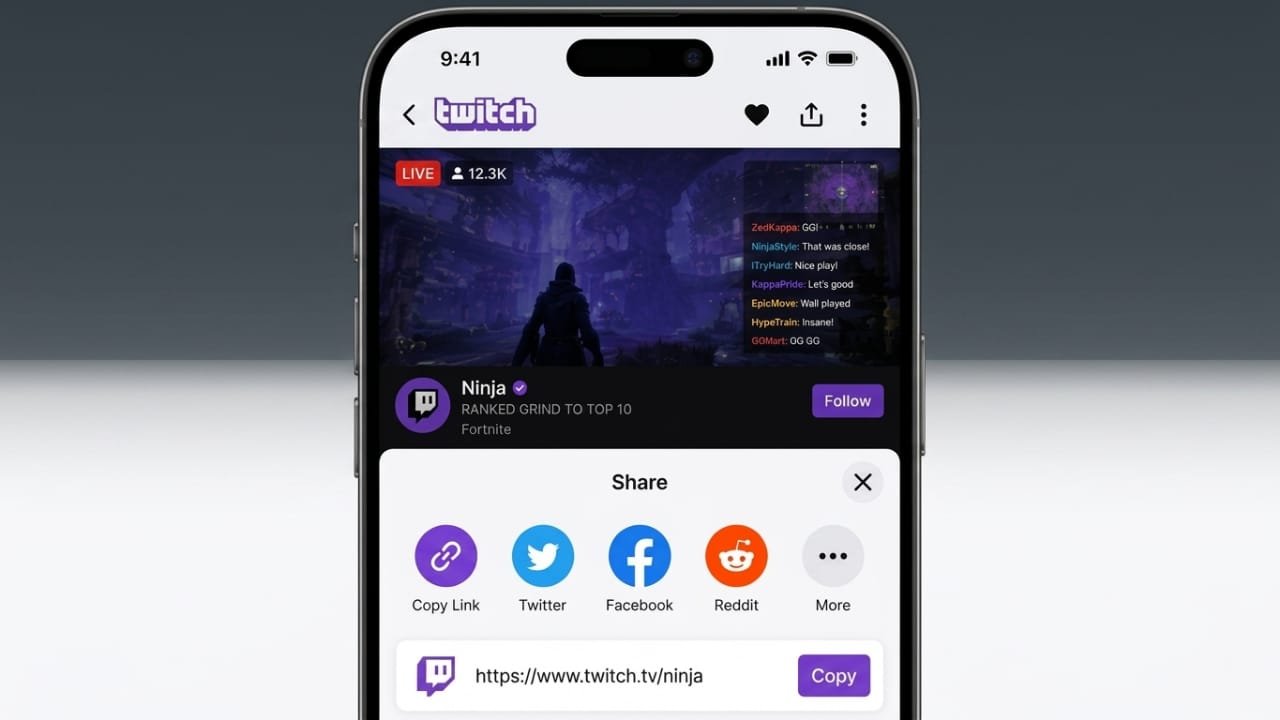
Sharing your Twitch content is one of the easiest ways to reach more viewers. Whether you want to send a live stream to a friend or promote your channel on social media, Twitch offers several simple options.
This guide explains how to share Twitch streams and channel links in a clear and beginner-friendly way.
Also read: How LTE Networks Work: A Beginner-Friendly Guide to LTE Technology
Share a Twitch Stream Directly
If you are watching a live stream and want others to join, Twitch lets you share it in just a few clicks.
Advertisements
Share a Stream You Are Watching
- Open Twitch in your browser or app.
- Sign in to your account if needed.
- Open the live stream you want to share.
- Look for the Share button below the video player.
- Click it to see the available sharing options.
You can share the stream directly to supported social platforms or choose Copy URL to copy the stream link.
Once the link is copied, you can paste it into:
- Messages
- Discord
- SMS
- Social media posts
Adding a short note about why the stream is worth watching can encourage more people to click the link.
Share Your Own Twitch Stream
If you are live, promoting your stream can help attract more viewers.
Follow these steps:
- Start your Twitch broadcast.
- Open Twitch and sign in.
- Click your profile picture.
- Select Channel.
- Open your channel page.
- Click the Share icon below your live stream.
From there, you can either share your stream on supported social platforms or copy the stream URL and post it wherever you like.
Why Sharing Methods Matter
Not every platform serves the same audience. Choosing the right place to share your Twitch link can improve your reach.
For example:
- Public social media posts can help you find new viewers.
- Private messages are better when sharing with friends or specific groups.
- Copying the URL gives you the flexibility to share it anywhere.
Pick the method that best matches your audience and your goals.
How to Find Your Twitch Channel Link
Your channel link takes visitors to your profile, where they can browse your content and follow your account.
To find it:
- Log in to Twitch.
- Click your profile picture.
- Select Channel.
- Copy the web address from your browser’s address bar.
Your channel URL is now ready to share.
How to Share Your Twitch Channel
After copying your channel link, you can post it on websites and apps where your audience is active.
Popular places include:
- Discord
- X
- Gaming communities
- Private messages
When sharing your link, include a short description of your content. For example, mention the games you stream or your streaming schedule so people know what to expect.
Benefits of Sharing Your Channel
Sharing your channel regularly can help more people discover your content.
A channel link allows visitors to:
- View your profile
- Watch your streams
- Follow your account
- Return for future broadcasts
Consistent promotion across different platforms can gradually increase your visibility.
Make Your Links More Effective
A plain link works, but a little extra effort can improve results.
Here are a few tips:
- Write a short introduction before posting the link.
- Mention the game or activity you are streaming.
- Highlight something interesting happening during the stream.
- Keep your message clear and natural.
Some creators also use link-shortening services to create cleaner URLs and monitor link clicks, which can help them understand where their audience is coming from.
Best Places to Share Twitch Links
X
X has an active gaming community where streamers often share live broadcasts and updates. Posting consistently can help more gamers discover your content.
Facebook is useful for sharing with friends, family, and community groups. Personal recommendations often encourage more people to check out your stream.
VK
VK is widely used in several regions and can help creators connect with a broader international audience.
Reddit includes many gaming communities focused on specific games and genres. Share your Twitch content only in relevant communities and always follow each community’s rules. Helpful and relevant posts usually perform better than repeated self-promotion.
Direct Link Sharing
Copying your Twitch URL gives you complete control over where you share it. You can send it through:
- Discord
- SMS
- iMessage
- Private chats
This method is ideal when you want to share your stream with specific people instead of posting publicly.
Add Context to Every Share
People are more likely to click a link when they know why it is worth opening.
Instead of posting only the URL, include a brief message that explains:
- What you are streaming
- Why the stream is interesting
- What viewers can expect
A short description makes your post more engaging and easier to understand.
Build Your Audience Through Communities
Growing on Twitch is not only about sharing links. Becoming an active member of gaming communities can also help.
Take part in discussions, answer questions, and interact with other gamers. When you contribute useful content, people are more likely to visit your channel naturally.
Focus on building genuine connections instead of posting promotional links everywhere.
Also read: Reset Your Microsoft Account Password: A Simple Recovery Guide
Conclusion
Sharing Twitch links is a simple way to introduce more people to your content. You can share live streams, your channel page, or a copied URL depending on your needs.
Use the platform that best fits your audience, add a short and helpful message, and stay active in gaming communities. Over time, these small efforts can help more viewers discover your Twitch channel.

Jatin Rajput (Tech Golu) — Tech blogger & YouTuber with 6+ years of experience in WhatsApp, Instagram, Facebook, and mobile guides. Founder of TechGolu.in.