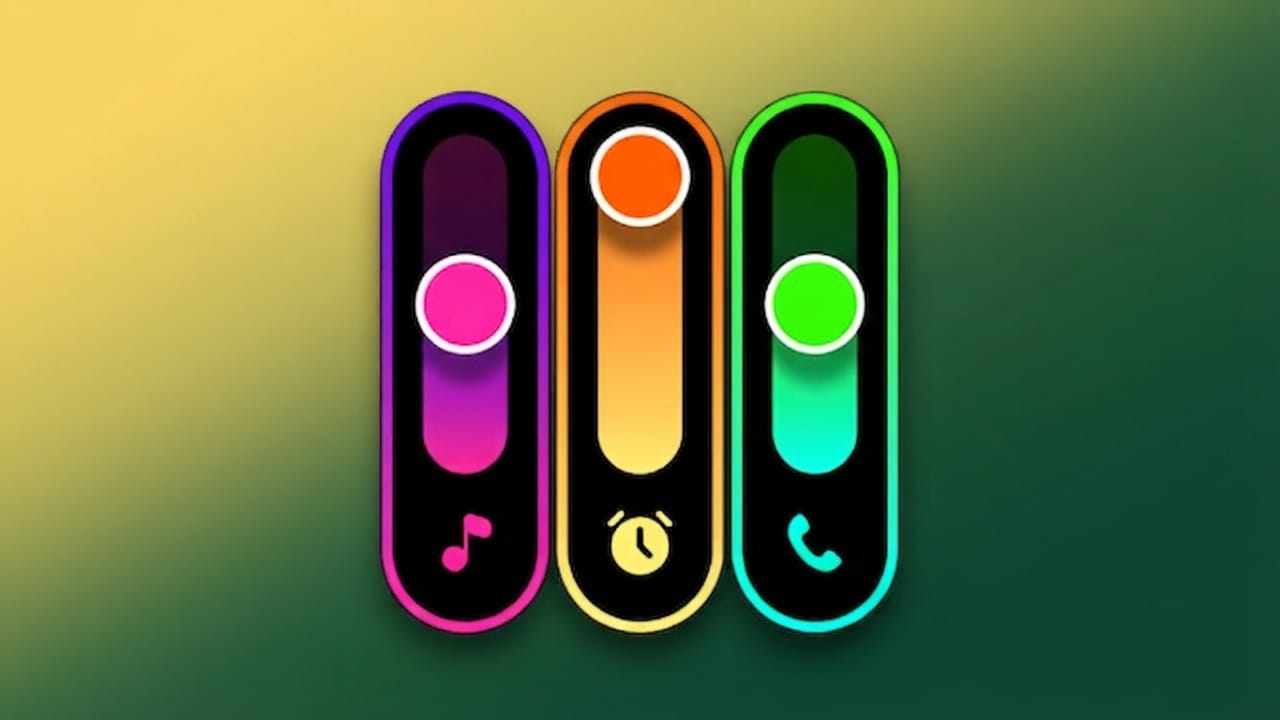
If you enjoy personalizing your Android phone, changing the default volume panel is a simple way to give your device a fresh appearance. Most Android phones come with a basic volume slider that works well but doesn’t offer much style. A Neon RGB volume customization app lets you replace that standard design with colorful themes, modern animations, and customizable layouts.
In this guide, you’ll learn what these apps do, their main features, and why many Android users enjoy using them.
Also read: Battery Charging Animation App: Add Stylish 3D Effects to Your Android Charging Screen
What Is a Neon RGB Volume Customization App?
A Neon RGB volume customization app allows you to change the look of your phone’s volume controls. Instead of the default volume panel, you can use colorful designs, neon-inspired themes, animated effects, and different layouts that better match your personal style.
Advertisements
These apps focus on appearance while keeping the volume controls easy to access and use.
Why Do People Use These Apps?
Many Android users like to customize their devices to make them feel more personal. A volume customization app can help by offering:
- A modern and stylish volume panel
- Colorful themes and RGB-inspired designs
- Better visual appeal for your phone
- Dark mode-friendly styles
- A unique interface that stands out
Key Features
Neon-Inspired Themes
One of the biggest attractions is the collection of neon-style designs. These themes give the volume slider a bright, modern look that is especially attractive on dark wallpapers.
RGB Color Effects
Many apps include multiple color options, allowing you to choose the colors that match your wallpaper, icons, or overall phone theme.
Custom Layout Options
Most volume customization apps let you adjust several parts of the interface, including:
- Colors
- Size
- Position
- Style
- Overall appearance
This flexibility allows you to create a design that suits your preferences.
Smooth Animations
Animated transitions make the volume panel feel more polished. The effects appear when you increase or decrease the volume, creating a smoother user experience.
Easy Setup
Most apps are designed for beginners. After installation, you simply grant the required permissions, choose a design, and apply your preferred settings.
Who Can Benefit?
These apps are a good choice for:
- Android users who enjoy customization
- People who like modern UI designs
- Content creators who showcase their phone screens
- Gamers who prefer RGB-inspired themes
- Anyone looking for a fresh visual experience
How to Use a Volume Customization App
Getting started is usually simple:
- Download the app from the Google Play Store.
- Open the app after installation.
- Allow the permissions requested by the app.
- Browse the available themes and styles.
- Apply your favorite design.
Your new volume panel should be active immediately or after following the app’s instructions.
Performance and Battery Usage
Most well-designed volume customization apps are lightweight and optimized for everyday use. On supported devices, they generally offer:
- Smooth performance
- Low battery impact
- Fast response while adjusting volume
Actual performance may vary depending on your phone model and the app you choose.
Tips for Better Results
- Dark wallpapers often make neon colors stand out more.
- Choose colors that match your overall phone theme.
- If you prefer a clean appearance, use a single-color design instead of multiple bright colors.
- Keep your customization simple for a balanced look.
Safety Tips
To help protect your device:
- Download apps only from the Google Play Store or other trusted sources.
- Read user reviews before installing an app.
- Check the permissions requested and allow only those that are necessary.
- Keep your apps updated for the latest improvements and security fixes.
Why Choose a Volume Customization App?
A good volume customization app offers much more than a different color scheme. It combines style with convenience by providing:
- Attractive designs
- Easy customization
- Smooth animations
- User-friendly controls
- Multiple themes and color options
These features can make everyday interactions with your phone feel more enjoyable.

Also read: 3D Photo Live Wallpaper: Create Amazing 3D Cube Wallpapers with Your Favorite Photos
Final Thoughts
If you want to refresh the appearance of your Android device without making major changes, a Neon RGB volume customization app is worth exploring. It adds personality to your phone with stylish themes, customizable colors, and modern animations while keeping the volume controls easy to use.
Choose a trusted app, customize it to match your style, and enjoy a more personalized Android experience.

Jatin Rajput (Tech Golu) — Tech blogger & YouTuber with 6+ years of experience in WhatsApp, Instagram, Facebook, and mobile guides. Founder of TechGolu.in.