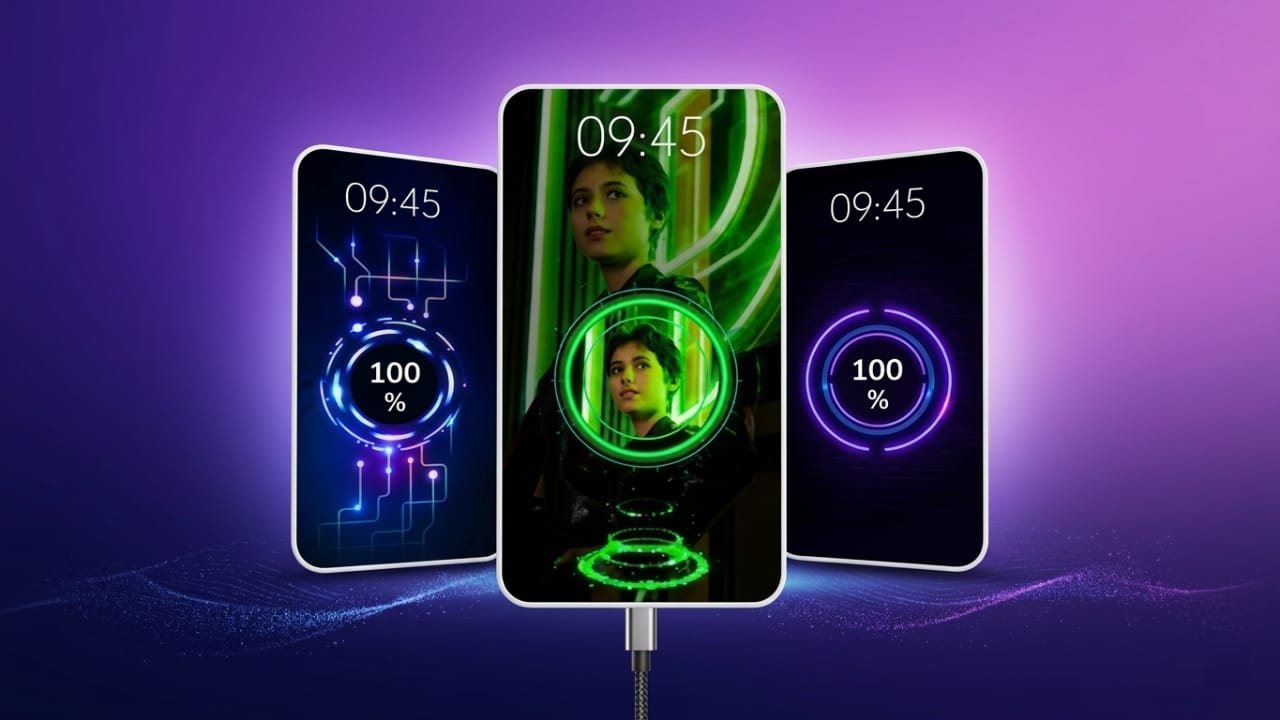
Most Android phones display a simple charging screen when you plug in the charger. While it gets the job done, it often looks plain and lacks any visual appeal. If you enjoy customizing your smartphone, a charging animation app can make this everyday activity more interesting.
Battery Charging Animation 4K is an Android app that replaces the default charging screen with colorful animations and modern visual effects. It offers a variety of themes and useful battery details, giving your phone a fresh and personalized look whenever it starts charging.
Also read: Fluid Simulation App: A Beautiful Way to Relax Your Mind
What Is Battery Charging Animation 4K?
Battery Charging Animation 4K is a customization app designed for Android devices. Once activated, it displays an animated charging screen every time your phone is connected to a charger.
The app includes a collection of different animation styles, allowing users to choose a design that matches their personal taste. Whether you prefer a minimal look or vibrant effects, there are plenty of options available.
Main Features
High-Quality Charging Animations
The app offers smooth, high-resolution charging animations that make the charging screen more attractive than the standard Android display.
Wide Range of Themes
Users can choose from many animation styles, including:
- Neon effects
- RGB lighting
- Electric charging animations
- Futuristic designs
- Energy wave effects
- Gaming-inspired themes
New themes may also be added through future app updates.
Battery Information
Along with animations, the app can display useful battery details such as:
- Current battery percentage
- Charging status
- Battery temperature
- Voltage information
- Battery health (where supported by the device)
These details help users monitor their phone while it is charging.
Easy to Use
The interface is simple and beginner-friendly. Most users can set up their preferred charging animation within a few minutes without any technical knowledge.
Smooth Performance
The app is designed to run efficiently on many Android devices. However, overall performance may vary depending on your phone model and software version.
Why Use a Charging Animation App?
Many people enjoy personalizing their smartphones beyond wallpapers and icons. A charging animation adds another layer of customization and makes the device feel more unique.
Some benefits include:
- A more attractive charging screen
- Personalized visual style
- Multiple animation choices
- Easy access to battery information
- A modern and refreshed user experience
How to Set Up Battery Charging Animation 4K
Getting started is simple.
- Download the app from the Google Play Store.
- Open the app after installation.
- Allow only the permissions required for the app to function.
- Browse the available charging animations.
- Select your favorite design and enable it.
The chosen animation will appear automatically whenever you connect your phone to a charger.
Popular Animation Styles
The app includes several categories of charging effects, such as:
Neon Animations
Bright neon colors create an eye-catching charging screen.
Lightning Effects
These animations simulate electric energy flowing into the battery for a dynamic appearance.
Futuristic Themes
Inspired by modern technology, these designs feature sleek graphics and digital-style effects.
RGB Effects
RGB lighting themes are popular among users who enjoy gaming-inspired customization.
Energy Wave Animations
These animations display smooth flowing effects that represent the charging process.
Battery Monitoring Features
Besides visual customization, the app may also provide useful battery information, including:
- Charging progress
- Estimated charging completion time (if supported)
- Battery temperature
- Charging speed
- Current charging status
The available information depends on your device and Android version.
Does It Affect Battery Life?
Charging animation apps mainly display visual effects while the phone is charging. They generally do not charge the battery faster or improve battery health.
For the best experience:
- Download the app from trusted sources such as the Google Play Store.
- Review requested permissions before allowing access.
- Keep the app updated to the latest version.
- Disable features you do not need.
Who Can Use This App?
Battery Charging Animation 4K is suitable for many Android users, including:
- Smartphone customization enthusiasts
- Students
- Gamers
- Tech lovers
- Content creators
- Mobile app reviewers
Anyone who enjoys giving their phone a unique appearance may find the app useful.
What Makes It Different?
While many charging animation apps are available, Battery Charging Animation 4K stands out for several reasons:
- High-quality animation effects
- Large collection of themes
- Simple setup process
- User-friendly interface
- Smooth performance on many Android devices
Helpful for Content Creators
Content creators who make smartphone-related videos can also use charging animations to improve the appearance of their recordings.
Possible content ideas include:
- Android customization videos
- App review videos
- Smartphone tips
- Home screen setup showcases
- Short-form social media videos
Animated charging screens can make these videos more visually appealing.
Privacy and Permissions
Before using any customization app, it is a good idea to review the permissions it requests.
Some charging animation apps may require permissions such as:
- Display over other apps
- Notification access
- Battery information access
Only grant permissions that are necessary for the app’s features.

Also read: Lens Launcher: A Faster Way to Access Apps on Android
Final Thoughts
Battery Charging Animation 4K is a simple Android customization app that adds animated effects to your charging screen. With multiple themes, an easy setup process, and optional battery information, it offers a more personalized charging experience.
If you enjoy customizing your smartphone and want a fresh look every time you plug in your charger, this app may be worth trying. As always, download apps from trusted sources and review permissions carefully before using them.

Jatin Rajput (Tech Golu) — Tech blogger & YouTuber with 6+ years of experience in WhatsApp, Instagram, Facebook, and mobile guides. Founder of TechGolu.in.