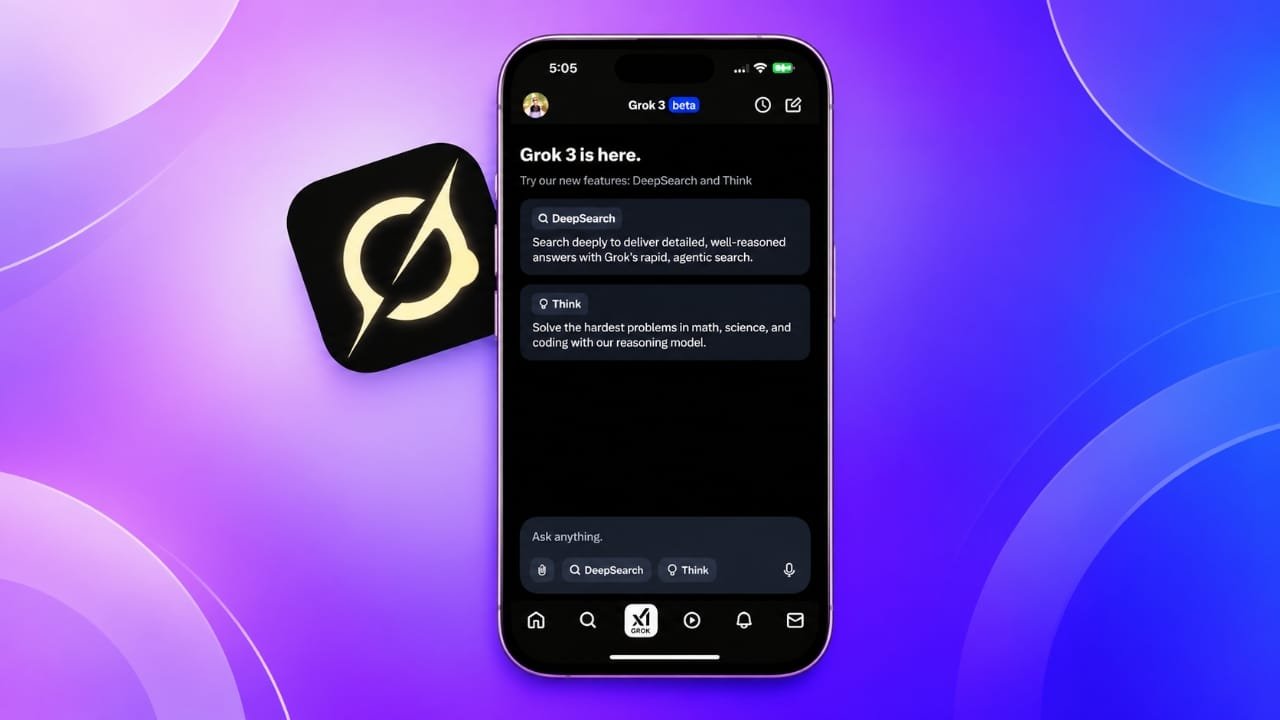
Grok AI is an artificial intelligence chatbot that can help you answer questions, research topics, understand online discussions, and create images. Developed by xAI, it is available through its dedicated app and the X platform.
If you want to try an AI assistant on your iPhone, Grok is worth exploring. It offers several useful tools, including web research, image generation, and features designed to handle more complex questions. In this guide, you will learn what Grok AI does, how to use its main features, and how it compares with other popular AI chatbots.
Advertisements
Also read: Notification Bar Customization: How to Personalize Your Android Phone
What Is Grok AI?
Grok is an AI assistant developed by xAI, a company founded by Elon Musk. It was introduced in 2023 and initially made available to selected users of X, formerly known as Twitter. Over time, Grok expanded to reach more users through the platform and its standalone app.
Like ChatGPT and DeepSeek, Grok can understand questions written in everyday language and generate responses based on your prompts. You can use it to explain difficult concepts, summarize information, help with writing, and explore different ideas.
One of its distinguishing features is its connection with X. Depending on the feature and access available to your account, Grok can use public posts and discussions on the platform to provide additional context about current topics.
However, its answers are not always accurate. Information gathered from online discussions may reflect personal opinions rather than verified facts, so important details should always be checked against reliable sources.
Main Features of Grok AI
Grok includes several tools that can make everyday tasks easier. The available features may vary depending on your account, subscription, app version, and region.
1. AI Image Generation
Grok can create images from text descriptions. You simply explain what you want to see, and the AI generates an image based on your instructions.
For example, you could ask it to create a futuristic smartphone, a realistic landscape, a digital illustration, or a thumbnail concept for a technology article.
You can often improve the results by providing specific details about the subject, background, lighting, colors, and artistic style. Image generation limits and available options may depend on your current access.
2. DeepSearch for Detailed Research
DeepSearch is designed to investigate questions more thoroughly than a basic chat response. When available, it can search relevant online information, compare sources, and organize its findings into a detailed answer.
This feature can be helpful when you want to:
- Research a technology product before buying it.
- Understand a developing news story.
- Compare different products or services.
- Explore a complicated topic.
- Find sources for further reading.
DeepSearch may take longer than a regular response because it performs a more extensive investigation. Even when sources are provided, you should open them and verify important claims yourself.
3. Think Mode for Complex Questions
Grok’s Think feature is intended to handle questions that require more reasoning and careful analysis.
It can be useful for tasks involving mathematics, programming, science, troubleshooting, and multi-step problems. Rather than relying only on a quick response, this mode is designed to work through more complicated questions before presenting an answer.
For better results, explain the problem clearly and include any relevant details. Keep in mind that a detailed explanation does not guarantee that the final answer is correct.
4. Integration With X
Grok is closely connected with X, making it useful for exploring public conversations on the platform.
Depending on the features available to you, you can use it to examine a post, ask follow-up questions about its contents, or explore related discussions.
This can help you understand what people are saying about a trending subject. However, social media posts can contain rumors, incomplete information, or misleading claims. Grok’s analysis should not be treated as automatic proof that a statement is true or false.
5. Image and Document Understanding
Grok can also support certain image and document-based tasks, depending on the current app features and account access.
For example, you may be able to upload a supported file and ask for a summary, or share an image and request an explanation of its contents.
This can be helpful when you need to understand a screenshot, review a document, or extract useful information from visual material. Avoid uploading confidential documents or personal information unless you understand the service’s privacy settings.
How to Use Grok AI on Your iPhone
The simplest way to get started is to use the official Grok app, if it is available in your region. You can also access Grok through X.
Step 1: Install the Grok App
Open the Apple App Store on your iPhone and search for Grok. Check that the app is published by the official developer, xAI, before installing it.
Download the app and open it once installation is complete.
If you cannot find the app, check its availability in your region or use the official Grok website instead.
Step 2: Open Grok and Start a Conversation
After opening the app, look for the chat or prompt field. The layout may differ slightly depending on the version you are using.
Type your question in the text box and submit it to receive a response.
For example, you could ask:
- Explain how smartphone processors work in simple English.
- Compare two budget smartphones for everyday use.
- Help me write an introduction for a technology article.
- Explain a difficult science topic with practical examples.
You can continue the conversation by asking follow-up questions. If the first response is too complicated, ask Grok to explain the subject in simpler language.
Some features may require you to sign in, while access to others can depend on your account and current usage limits.
Step 3: Create an Image With Grok
If image generation is available in your version of the app, look for the image creation option. In some versions, it may appear inside a tools menu or next to the prompt box.
Select the relevant option, describe the image you want, and submit your prompt.
For example, you could write:
“Create a realistic image of a modern smartphone on a wooden desk, with soft natural lighting and a clean background.”
Grok will process the description and generate an image if the feature is available to your account.
If the result is not what you expected, refine your prompt. You can specify the camera angle, background, colors, image composition, and other details to guide the next attempt.
Step 4: Use DeepSearch for Research
When you need more than a short answer, select DeepSearch if it is available in your app.
Enter a question that explains exactly what you want to investigate. For example:
“Compare the main features, battery life, software support, and pricing of these two smartphones. Include reliable sources where available.”
Submit the query and allow Grok to complete its research.
Review the answer carefully and open the cited sources to confirm the details. This is especially important when researching prices, product specifications, recent announcements, or other information that may change over time.
Step 5: Try Think Mode
For a complicated question, select Think mode if your account offers it.
Enter the problem with enough context for Grok to understand what you need. For instance, you could ask it to explain a programming error, solve a mathematical problem, or compare two technical approaches.
Read the explanation and check the result rather than assuming that the reasoning is error-free. For calculations and code, testing the output independently can help you identify mistakes.
Step 6: Use Grok Through the X App
If you already use X, you may be able to access Grok directly from the platform.
Open X and locate the Grok option in the app interface. Select it to open the assistant and enter your question.
You can also open a public post and look for an available Grok action to ask questions about its content. The exact controls may vary with app updates and account access.
This approach is convenient if you want to explore a trending topic without switching between applications.
Some features may require an X account or an eligible subscription, so check the access requirements shown in the app.
Grok AI vs ChatGPT and DeepSeek
Grok, ChatGPT, and DeepSeek are all AI assistants, but their strengths and available tools can differ. The best choice depends on what you want to accomplish.
| Feature | Grok AI | ChatGPT | DeepSeek |
|---|---|---|---|
| General questions | Yes | Yes | Yes |
| Writing assistance | Yes | Yes | Yes |
| Complex problem-solving | Think and other available reasoning tools | Reasoning tools, depending on access | Reasoning tools, depending on access |
| Image generation | Available through supported features | Available through supported features | Depends on the available model and tools |
| Connection with X | A key integration | No comparable native X integration | No comparable native X integration |
| Online research | DeepSearch and other available search tools | Search and research tools, depending on access | Availability depends on the model and tools |
Features and usage limits can change, so this comparison should be treated as a general guide rather than a permanent list of capabilities.
Which AI Assistant Should You Choose?
Choose Grok if you frequently use X, want to explore public discussions, or are interested in its image creation and research tools.
Choose ChatGPT if you want a general-purpose assistant for writing, learning, coding, research, and other everyday tasks. Its available tools depend on your plan and the current product features.
Choose DeepSeek if you want to explore its conversational and reasoning capabilities, particularly for technical questions and problem-solving.
You do not necessarily need to choose just one. Trying the same question in different assistants can help you compare their explanations, accuracy, and usefulness.
Can Grok AI Give Incorrect Answers?
Yes. Like other AI chatbots, Grok can produce incorrect information, misunderstand a question, or provide an answer that sounds convincing but is not supported by reliable evidence.
Be particularly careful when using it for breaking news, technical specifications, financial decisions, or claims based on social media posts.
For better results, follow these practices:
- Check important claims against trustworthy sources.
- Confirm dates, figures, and product specifications.
- Ask for sources when researching factual questions.
- Avoid treating opinions from X as established facts.
- Do not share passwords, payment details, or sensitive personal information.
AI tools are most useful when you treat their responses as a starting point for learning and research rather than as unquestionable facts.
Is Grok AI Free to Use on an iPhone?
Grok may offer free access to certain features, but the amount of usage and the tools available can vary. Some capabilities may have separate limits or require a paid subscription.
Availability can also change as xAI updates its models and services. Before subscribing, check the current pricing and feature details in the official app or on the official Grok website.
Do not assume that every feature is unlimited or that a particular model will remain free indefinitely.
Also read: How to Create 1080p Videos With Grok Imagine: A Beginner’s Guide
Final Thoughts
Grok AI is another useful option for iPhone users who want to explore artificial intelligence. Its integration with X, image generation, and research-oriented features give it several practical uses, from understanding online discussions to creating visual concepts and investigating unfamiliar topics.
Getting started is straightforward: install the official app or access Grok through X, enter a question, and explore the tools available to your account.
As with any AI assistant, the quality of the results depends on the question you ask and the tools available to you. Verify important information, protect your personal data, and compare answers when accuracy matters. With these precautions, Grok can become a helpful addition to your everyday research and productivity tools.

Jatin Rajput (Tech Golu) — Tech blogger & YouTuber with 6+ years of experience in WhatsApp, Instagram, Facebook, and mobile guides. Founder of TechGolu.in.
Advertisements