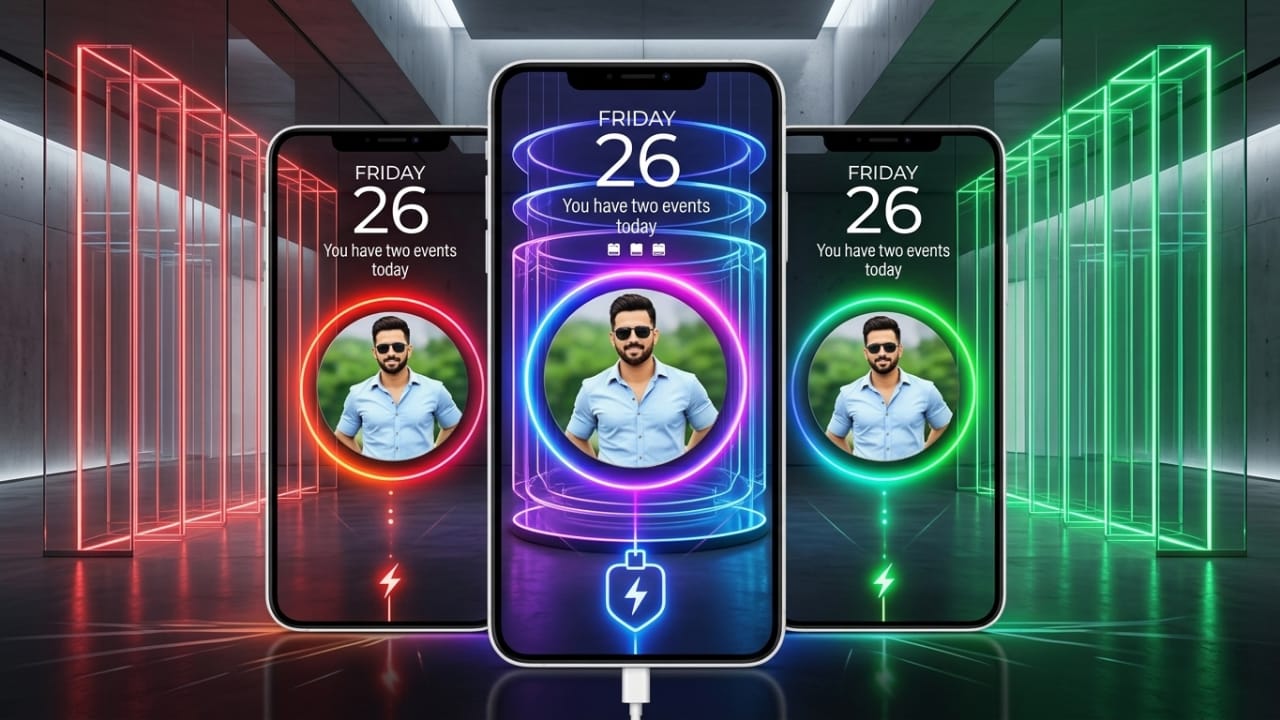
Your smartphone is more than just a device for calls and messages. For many people, it reflects their personality and style. That’s why Android users often customize wallpapers, icons, themes, and lock screens. Another feature that has become popular is the charging screen.
If you want your phone to display your favorite photo or a stylish animation whenever you plug it in, Batix – Charging Photo is an app worth exploring. It allows you to replace the default charging screen with custom images, animated effects, and modern designs that make charging your phone a little more interesting.
Also read: Battery Charging Animation 4K: Make Your Phone’s Charging Screen More Stylish
What is Batix – Charging Photo?
Batix – Charging Photo is an Android personalization app that changes the appearance of your phone’s charging screen. Instead of seeing the standard battery icon, you can display a custom photo along with attractive charging animations.
The app also includes multiple theme options, animated effects, and battery information to create a more personalized charging experience.
Why Choose Batix – Charging Photo?
Most Android phones display a simple charging indicator by default. Batix offers additional customization by letting you choose how the charging screen looks.
Some of its useful features include:
- Set your own photo as the charging screen.
- Explore HD and 4K-inspired charging themes.
- Choose from different animation styles.
- View battery details while charging.
- Easy setup for beginners.
- Modern and stylish interface.
Main Features
1. Custom Photo Charging Screen
One of the app’s most popular features is the ability to use your own pictures on the charging screen.
You can select any image stored in your phone, such as:
- Selfies
- Family photos
- Pictures of friends or loved ones
- Pet photos
- Favorite memories
When you connect the charger, the selected image appears with the animation you choose.
2. Stylish Charging Themes
The app includes a collection of attractive charging themes designed to give your phone a fresh look.
Popular theme styles include:
- Neon
- RGB
- Technology
- Abstract
- Luxury
- Cyber-inspired designs
These themes can look especially appealing on phones with high-quality displays.
3. Charging Animations
Batix offers several charging animation styles that automatically appear while your device is charging.
You can switch between different effects to match your personal preference.
4. Battery Information
The charging screen can also display helpful battery details, including:
- Current battery percentage
- Charging status
- Charging speed (if supported)
- Estimated charging time (when available)
This allows you to check important battery information without opening additional menus.
5. Simple Setup Process
The app is designed with an easy-to-use interface.
Getting started usually involves these steps:
- Install and open the app.
- Choose a charging theme.
- Select your preferred photo.
- Apply an animation.
- Enable the charging screen feature.
After setup, the selected design appears whenever your phone starts charging.
6. Modern Neon Effects
If you enjoy colorful designs, the app includes several neon-style animations that give the charging screen a modern appearance.
These themes are popular among users who like vibrant visual effects.
7. Smooth Performance
Many customization apps can affect device performance if they use too many system resources.
Batix is designed to provide charging animations while keeping resource usage relatively low on supported devices.
Benefits of Using Batix
Using a customized charging screen offers several advantages:
- Makes your phone look more unique.
- Adds a personal touch with your own photos.
- Offers stylish themes and animations.
- Simple interface that’s easy to understand.
- Regular updates may introduce new theme options.
How to Install Batix – Charging Photo
Installing the app is straightforward.
- Open the Google Play Store.
- Search for Batix – Charging Photo.
- Tap Install.
- Open the app after installation.
- Follow the on-screen instructions to customize your charging screen.
Who May Like This App?
Batix can be a good option for:
- Android users who enjoy personalization.
- People who want to display their favorite photos while charging.
- Users who like animated themes and visual effects.
- Anyone looking for a more customized phone experience.
Safety Tips
Before installing any Android application, it’s a good idea to:
- Download it only from the Google Play Store.
- Read recent user reviews.
- Check the developer information.
- Review the permissions requested by the app before granting access.
Following these steps helps you make an informed decision before using any personalization app.

Also read: Fluid Simulation App: A Beautiful Way to Relax Your Mind
Final Thoughts
Batix – Charging Photo is a personalization app that lets Android users customize their charging screen with photos, themes, and animated effects. It offers a simple setup process and several design options for people who enjoy making their phones look different from the default appearance.
If you’re interested in giving your charging screen a more personal and stylish look, Batix – Charging Photo may be worth trying. As with any app, be sure to review its permissions and features before installing it.

Jatin Rajput (Tech Golu) — Tech blogger & YouTuber with 6+ years of experience in WhatsApp, Instagram, Facebook, and mobile guides. Founder of TechGolu.in.