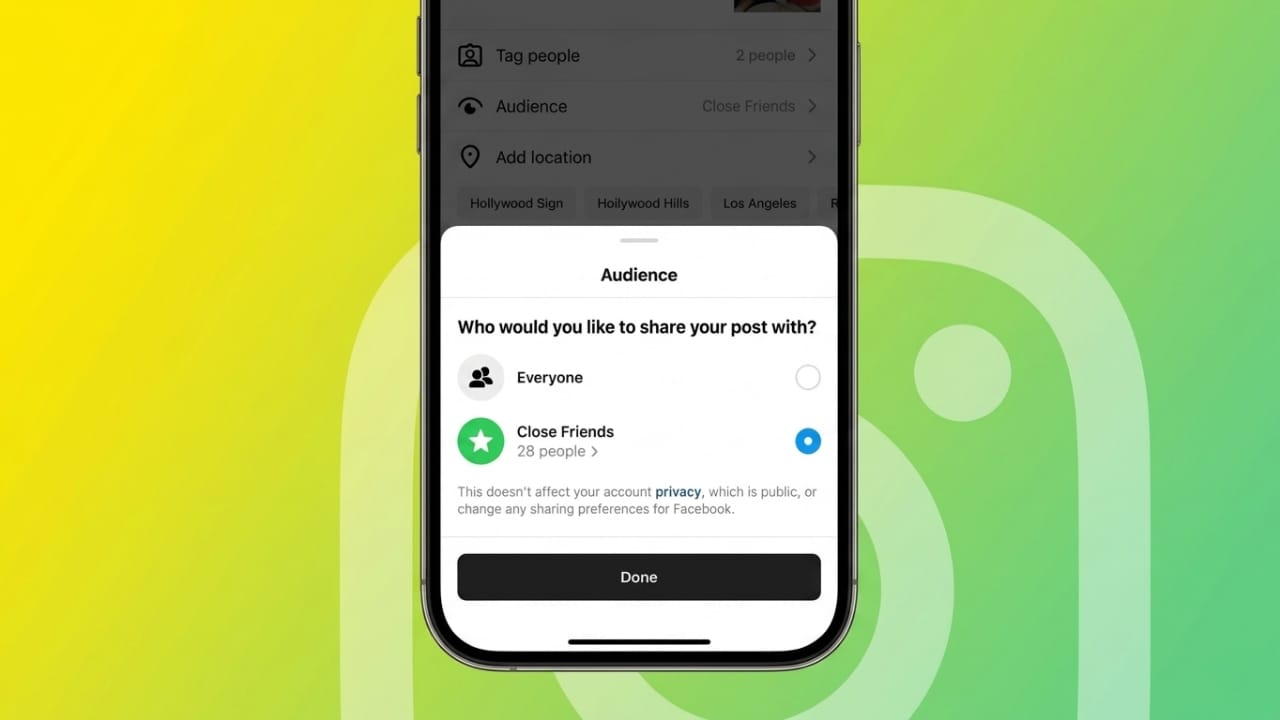
Instagram is one of the most popular social media platforms for sharing photos, videos, stories, and personal updates. But not every post is meant for everyone. Sometimes, users want to share personal content only with a small group of trusted people. That is where Instagram’s Close Friends feature becomes useful.
This feature helps users create a private list of selected followers who can view specific content. Whether you want to share personal moments, funny updates, or exclusive content, Close Friends gives better control over who sees it.
Also read: Google I/O 2026 Highlights: Gemini Omni Video AI and Faster Gemini 3.5 Models
What Is Instagram Close Friends?
Instagram introduced the Close Friends feature to make private sharing easier. It allows users to choose specific followers and create a small private group.
When you share content with this group, only those selected people can view it. Other followers on your account will not have access to those private updates.
This feature can be used for:
- Stories
- Reels
- Posts
- Notes
It works for both personal and business accounts.
Why People Use Close Friends on Instagram
Many users have different types of followers, such as family, friends, coworkers, clients, or people they barely know. Sharing everything publicly may not always feel comfortable.
With Close Friends, users can:
- Share personal moments with trusted people
- Keep professional and private content separate
- Avoid unnecessary visibility for certain posts
- Feel more comfortable sharing fun or personal updates
This creates a better balance between privacy and social sharing.
Benefits of Using the Close Friends Feature
Instagram’s Close Friends option offers several advantages:
Better Privacy
Only selected followers can view the private content.
More Control
You decide exactly who gets access to special updates.
Comfortable Sharing
You can post personal or casual content without sharing it with everyone.
Flexible Content Sharing
Different content can be shared with different audiences based on your needs.
Useful for Business Accounts
Brands and professionals can use it for private updates, special offers, or exclusive announcements.
How to Create a Close Friends List on Instagram
Creating the list is simple and takes only a few minutes.
Follow these steps:
- Open Instagram on your phone or tablet.
- Tap your profile icon at the bottom right.
- Tap the menu icon in the top-right corner.
- Find and open Close Friends.
- Instagram will show your follower list.
- Select the people you want to add.
- Tap Done to save your list.
That’s it. Your private sharing group is now ready.
Important Things to Know
Before using this feature, keep these points in mind:
- People do not receive notifications when you add or remove them.
- Only you can edit the Close Friends list.
- Followers cannot request to join the list through Instagram settings.
- Membership remains private.
This helps users manage their list without creating awkward situations.
How to Identify Close Friends Content
Instagram uses small visual indicators for Close Friends content.
- Stories usually show a green ring around the profile photo.
- Some shared content may include green or star-related symbols.
These indicators help selected followers understand the content is shared privately.
How to Share Stories with Close Friends
After setting up the list, sharing private stories is easy.
Steps:
- Open Instagram and create a story.
- Capture a photo or video, or upload media from your gallery.
- Add stickers, text, or filters if needed.
- Tap the sharing option.
- Choose Close Friends instead of sharing publicly.
Only selected people will be able to view the story.
How to Share Reels and Posts Privately
Instagram also allows private sharing for other content types.
Follow these steps:
- Tap the + icon.
- Choose a Post or Reel.
- Create or upload your content.
- Continue to audience settings.
- Select Close Friends if available.
- Confirm and share.
This makes content sharing more flexible and private.
What Close Friends Can See
People inside your Close Friends list can interact with shared content depending on the content type. They may be able to like or comment where Instagram allows it.
However, while Instagram keeps the full list private, users should remember that interactions may still be visible to others in that private audience.
So, avoid sharing anything extremely sensitive if privacy is critical.
How Businesses Can Use Close Friends
This feature is not only useful for personal accounts. Businesses can also use it in smart ways.
Exclusive Updates
Brands can share previews, early announcements, or behind-the-scenes content.
Loyal Customer Groups
Businesses can create stronger relationships with trusted customers or supporters.
Influencer Communication
Brands can keep campaign discussions organized with selected collaborators.
Client Communication
Coaches, consultants, and professionals can share useful updates with specific clients.
It helps improve engagement while keeping communication focused.
Other Helpful Instagram Privacy Tools
Instagram also offers additional privacy options:
- Hide online activity status
- Create separate accounts for work and personal use
- Archive or remove older posts
- Manage story visibility
- Adjust account privacy settings
Using these tools can improve your overall social media privacy.
Also read: OpenAI May Be Moving Closer to a Public Stock Market Listing
Final Thoughts
Creating a Close Friends list on Instagram is a simple way to share content more privately. It gives users better control over who can view stories, reels, posts, and updates.
Whether you want to share personal moments with trusted friends or create exclusive content for loyal followers, this feature makes private sharing easy, organized, and more comfortable.

Jatin Rajput (Tech Golu) — Tech blogger & YouTuber with 6+ years of experience in WhatsApp, Instagram, Facebook, and mobile guides. Founder of TechGolu.in.