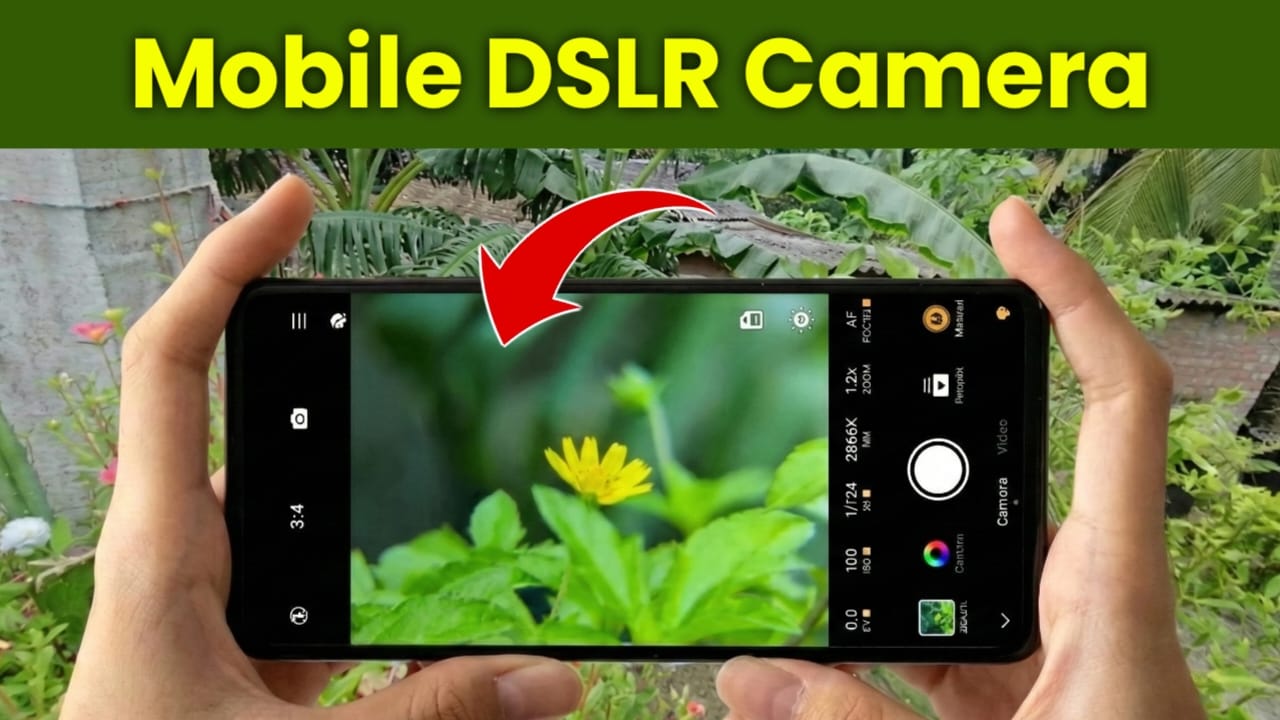
Best Professional DSLR-Like Camera App for Android (Complete Guide)
In today’s digital world, mobile photography has become a part of our daily life. Almost everyone owns a smartphone, and smartphones are now powerful enough to capture high-quality photos. However, many people still love the professional look of DSLR cameras, especially the beautiful background blur (bokeh), sharp focus, and manual controls.
Buying a DSLR camera is not always possible for everyone because of its high price, maintenance, and learning curve. This is where professional camera apps play an important role. One such powerful Android camera application is ReLens Camera – Focus and DSLR Blur.
This app is designed for users who want DSLR-like photography experience on their Android smartphone. In this detailed post, we will discuss what ReLens Camera is, its features, how to download it, how to use it step by step, and who should use this app.
Also read: Pika Charging Animation Show – Add Your Picture on Battery Charging Screen (Android)
What Is ReLens Camera – Focus and DSLR Blur?
ReLens Camera is a professional Android camera application that helps users capture photos with DSLR-style background blur, manual controls, lens simulation, and RAW image support. The app uses advanced image processing and AI-based depth detection to create realistic blur effects similar to DSLR cameras.
It does not replace a real DSLR camera, but it provides a DSLR-like photography experience, especially for mobile photographers, content creators, and social media users.
Key Features of ReLens Camera
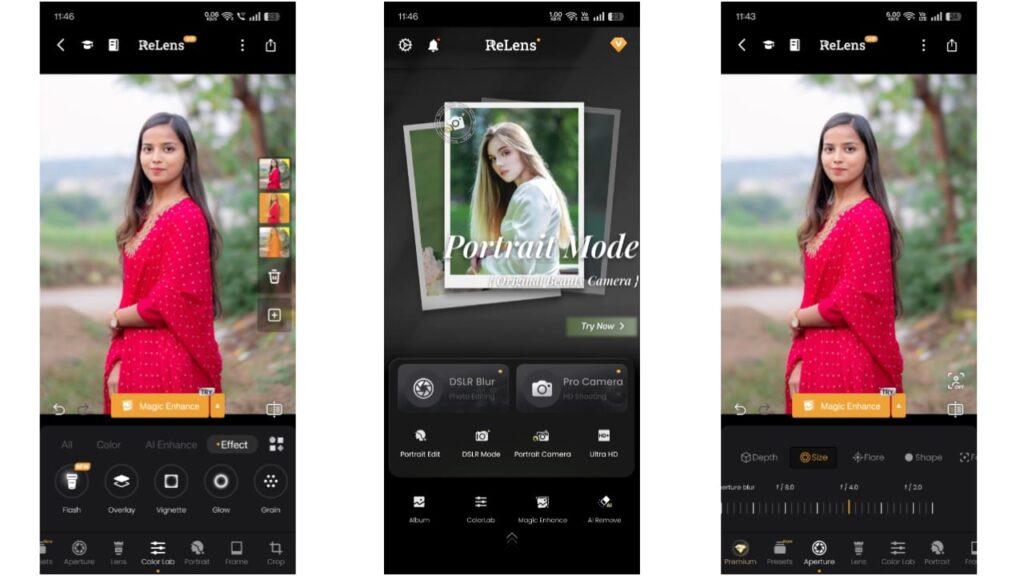
1. DSLR-Like Background Blur (Bokeh Effect)
The most attractive feature of ReLens Camera is its DSLR-style background blur.
With the help of AI technology, the app separates the subject from the background and applies a smooth blur effect.
✔ Natural looking blur
✔ Adjustable blur intensity
✔ Perfect for portraits, products, and close-up shots
This feature helps your photos look more professional and visually appealing.
2. Full Manual Camera Controls
ReLens Camera is not just an automatic camera app. It also provides manual mode, which gives you full control over camera settings such as:
- ISO
- Shutter Speed
- Focus
- White Balance
- Exposure Compensation
This is very useful for users who want to learn photography or already understand camera basics.
3. Lens Simulation (35mm, 50mm, 85mm Effects)
Another powerful feature of ReLens Camera is Lens Simulation.
You can simulate popular DSLR lenses like:
- 35mm (street & landscape photography)
- 50mm (portrait & natural shots)
- 85mm (professional portrait look)
These lens effects help create realistic depth and perspective, making photos look more cinematic.
4. RAW Photo Capture (For Professional Editing)
If you love photo editing, ReLens Camera is an excellent choice.
The app supports RAW image capture, which means:
✔ More image details
✔ Better color correction
✔ Professional editing flexibility
You can edit RAW photos using apps like Adobe Lightroom or Snapseed for high-quality results.
5. AI Portrait Mode
The AI Portrait Mode in ReLens Camera is designed to detect:
- Face
- Eyes
- Hair
- Body edges
The app intelligently keeps the subject sharp while smoothly blurring the background. This makes portrait photos look clean and professional.
6. Simple & User-Friendly Interface
Despite offering professional features, ReLens Camera has a simple and clean interface.
Beginners can easily use auto mode, while advanced users can explore manual settings without confusion.
How to Download ReLens Camera (Step-by-Step)
Follow these simple steps to download the app safely:
- Open Google Play Store on your Android phone
- Search for “ReLens Camera – Focus and DSLR Blur”
- Tap on Install
- Wait for the installation to complete
✔ This is the official Play Store version, completely safe to download.
How to Use ReLens Camera (Step-by-Step Guide)
Step 1: Open the App & Allow Permissions
After installation, open the app and allow camera and storage permissions.
Step 2: Choose Camera Mode
Select one of the following modes:
- Auto Mode (for beginners)
- Manual Mode (for advanced users)
- Portrait Mode (for background blur)
Step 3: Adjust Settings
If using manual mode, adjust ISO, shutter speed, focus, and white balance according to lighting conditions.
Step 4: Select Lens Effect
Choose your desired lens simulation such as 50mm or 85mm for better depth effect.
Step 5: Capture the Photo
Hold the phone steady and tap the shutter button.
Step 6: Save or Edit
Save the photo directly or edit RAW images using professional editing apps.
Pros and Cons of ReLens Camera
Pros
- DSLR-like background blur
- Manual camera controls
- Lens simulation feature
- RAW photo support
- Good for portraits & content creation
- Easy to use interface
Cons
- Some features may require premium version
- Performance depends on device hardware
- Not a complete replacement for real DSLR
Who Should Use ReLens Camera?
✔ Mobile photography lovers
✔ Instagram & Facebook content creators
✔ YouTubers and vloggers
✔ Beginner photographers learning manual controls
✔ Users who want professional looking photos without a DSLR
User Experience & Performance
Most users appreciate ReLens Camera for its professional features and realistic blur effects. The app performs best on mid-range and high-end Android smartphones. Regular updates help improve performance and camera optimization.
Is ReLens Camera Safe for AdSense Websites?
Yes, this app is 100% safe to mention on AdSense-approved websites because:
- Official Play Store app
- No misleading download links
- No illegal or restricted content
- Informational and helpful content
Install
Disclaimer:
This application is owned by its respective developer. We are not affiliated with Google or the app developer. Features may change with updates, and performance may vary depending on device hardware.
Also read: Zipper Lock Screen – Stylish Themes & Live Wallpaper App: Complete User Guide
Final Verdict
ReLens Camera – Focus and DSLR Blur is one of the best Android camera apps for users who want a DSLR-style photography experience on mobile. While it cannot fully replace a professional DSLR camera, it is an excellent option for mobile photographers who want high-quality photos with background blur and manual controls.
If you are looking for a powerful, feature-rich, and user-friendly mobile camera app, ReLens Camera is definitely worth trying.

Jatin Rajput (Tech Golu) — Tech blogger & YouTuber with 6+ years of experience in WhatsApp, Instagram, Facebook, and mobile guides. Founder of TechGolu.in.