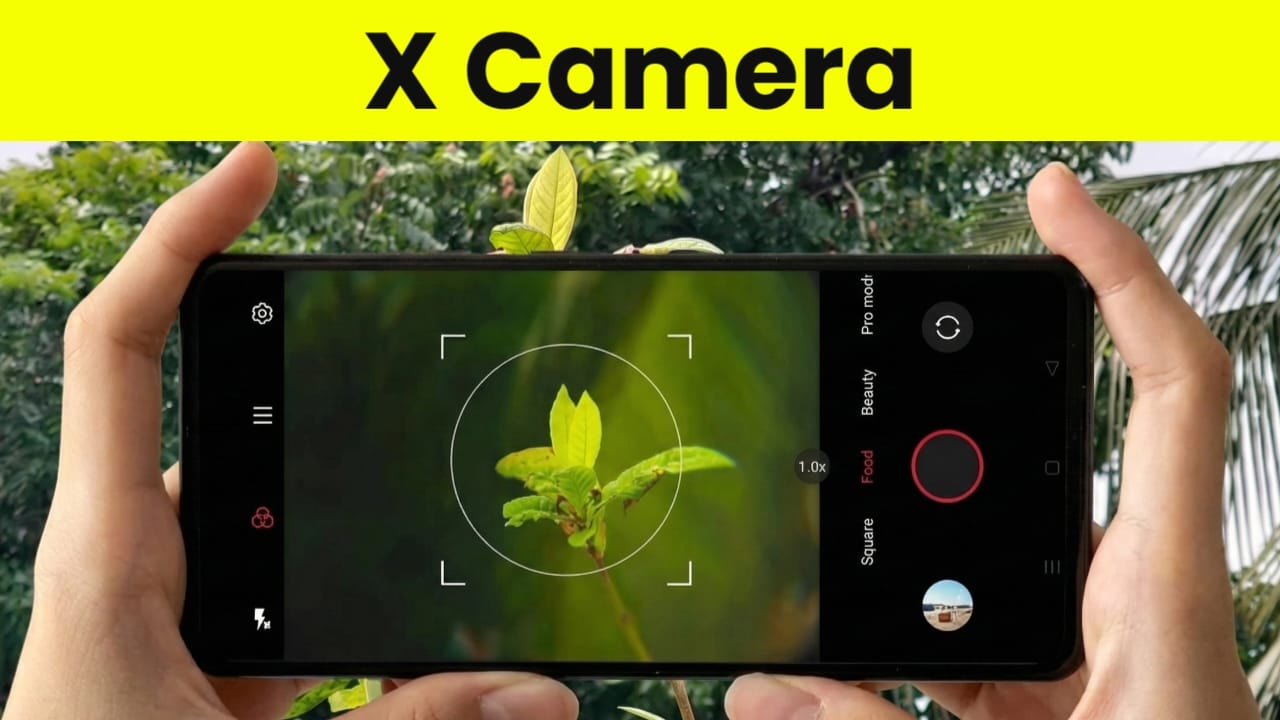
In today’s digital world, smartphones have become an essential part of our daily lives. One of the most popular uses of smartphones is photography. Modern Android phones come with powerful camera hardware, but to fully utilize this potential, a reliable and feature-rich camera application is required.
If you are someone who enjoys mobile photography or wants more control over your phone’s camera, X Camera – High-Quality Photography HD Camera for Android can be a useful option. This app is designed to enhance the camera experience by offering advanced features, an easy-to-use interface, and improved image quality.
In this detailed article, we will explain what X Camera is, its features, how to download it, how to use it step by step, and whether it is worth installing. This guide is written for beginners as well as photography enthusiasts.
Also read: Picnic – Best Photo Filter App for Dark Sky & Outdoor Photography (Android)
What Is X Camera – High-Quality Photography HD Camera?
X Camera is a third-party camera application for Android devices that aims to provide a better photography experience compared to the default camera app. It offers multiple shooting modes, manual adjustments, beauty effects, filters, and video recording features.
The app is suitable for users who want more creative control over their photos without using complex professional equipment. While it does not turn a smartphone into a real DSLR, it helps deliver a DSLR-like photography experience, depending on the device’s hardware capabilities.
Key Highlights of X Camera App
- User-friendly interface
- HD and high-resolution photo support
- Manual camera controls (device-dependent)
- Beauty mode and filters
- Night mode and HDR support
- Video recording with stabilization support
- Suitable for beginners and advanced users
Detailed Features of X Camera
1. HD and High-Resolution Photo Support
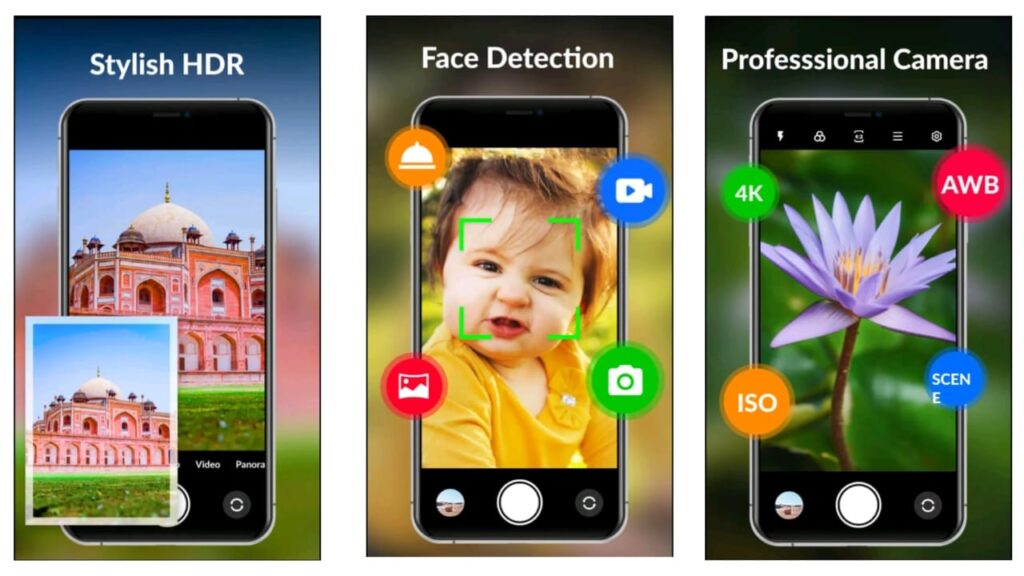
X Camera allows users to capture high-quality images using their phone’s camera sensor. On compatible devices, it supports HD and high-resolution photography. This helps in capturing sharper details and clearer images.
Note: Photo quality and resolution depend on your phone’s camera hardware.
2. Manual Camera Controls
One of the most appreciated features of X Camera is its manual control options. Users can adjust settings such as:
- ISO
- Exposure
- Focus
- White balance
These controls give users more freedom to experiment with lighting and composition, similar to professional photography apps.
3. Beauty Mode and Photo Filters
For social media users, X Camera includes beauty effects and built-in filters. These features can enhance portraits by smoothing skin tones, adjusting brightness, and adding artistic color effects.
Filters can be applied in real time or after capturing the photo, making it easier to create visually appealing images.
4. Auto Focus and Face Detection
X Camera supports auto focus and face detection features that help keep subjects sharp and clear. This is especially useful for:
- Portrait photography
- Group photos
- Selfies
The app intelligently detects faces and adjusts focus accordingly, reducing blur in most situations.
5. Video Recording Features
Apart from photography, X Camera also supports video recording. Users can record videos in high definition on supported devices. Some phones may also benefit from stabilization features, which help reduce shaky footage.
This makes X Camera useful for:
- Short videos
- Social media reels
- Casual vlogging
6. Night Mode and HDR Support
Low-light photography is a challenge for many smartphone users. X Camera offers a night mode feature that improves brightness and clarity in dark environments.
HDR (High Dynamic Range) mode helps balance highlights and shadows by combining multiple exposures into one well-balanced image.
How to Download X Camera on Android (Step-by-Step)
Downloading X Camera is simple and safe when done through the Google Play Store.
Steps:
- Open the Google Play Store on your Android phone
- Search for “X Camera – High-Quality Photography HD Camera”
- Select the correct app from the search results
- Tap on Install
- Wait for the installation to complete
Once installed, the app will appear on your home screen.
How to Use X Camera App (Beginner Guide)
Step 1: Open the App
Launch X Camera from your app drawer. Allow the necessary permissions such as camera access, storage, and microphone (for video recording).
Step 2: Choose a Camera Mode
You can select different modes depending on your needs:
- Photo mode
- Video mode
- Night mode
- Beauty mode
Step 3: Adjust Camera Settings
Use on-screen controls to adjust:
- Focus
- Exposure
- ISO
- Filters and effects
These settings help you customize the photo according to lighting conditions.
Step 4: Capture Photos or Videos
Once settings are adjusted, tap the shutter button to capture photos or start video recording.
Step 5: Save and Share
Captured photos and videos are saved to your device storage. You can easily share them on social media platforms directly from the gallery.
User Experience and Performance
Many users find X Camera easy to use because of its clean layout and smooth controls. Beginners can rely on auto mode, while advanced users can explore manual settings.
Performance may vary depending on:
- Phone model
- Camera hardware
- Android version
On compatible devices, the app runs smoothly and delivers improved image quality compared to standard camera apps.
Pros and Cons of X Camera
Pros:
- Simple and clean interface
- Useful manual controls
- Good filter and beauty options
- Night mode and HDR support
Cons:
- Some features depend on device hardware
- Not a replacement for professional DSLR cameras
- Advanced features may not work on older phones
Is X Camera Safe to Use?
Yes, X Camera is available on the Google Play Store, which means it follows basic Android security guidelines. However, users should always review app permissions and privacy policies before installing any third-party application.
Install
Disclaimer
This article is for informational purposes only. App features, performance, and availability may change with future updates. Some features depend on the user’s device hardware and Android version. We do not own or develop this app.
Also read: ReLens Camera – Focus and DSLR Blur
Final Verdict: Should You Try X Camera?
If you enjoy smartphone photography and want more creative control over your camera, X Camera – High-Quality Photography HD Camera for Android is worth trying. It offers a good balance between simplicity and advanced features, making it suitable for both beginners and photography enthusiasts.
While it does not replace professional cameras, it can significantly enhance your mobile photography experience when used on compatible devices.

Jatin Rajput (Tech Golu) — Tech blogger & YouTuber with 6+ years of experience in WhatsApp, Instagram, Facebook, and mobile guides. Founder of TechGolu.in.