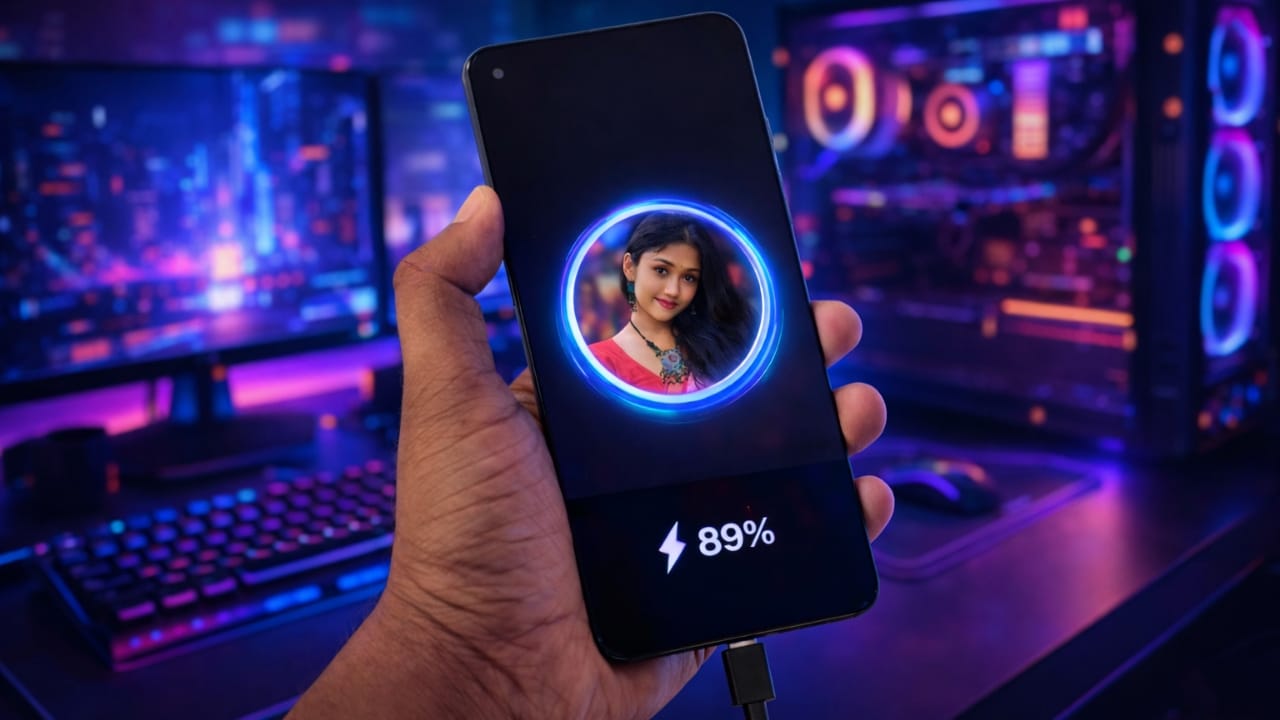
In today’s digital world, smartphones have become an essential part of our daily life. We use our mobile phones for calling, social media, photography, videos, gaming, and many other purposes. Because of this heavy usage, we need to charge our phones multiple times a day.
Whenever we connect a charger to our Android phone, a simple charging animation appears on the screen. However, this default charging animation looks very basic and cannot be changed on most devices. Many users want something more stylish, attractive, and customizable while charging their phones.
If you are also looking for a way to change the charging animation on your Android phone, then Pika – Battery Charging Animation Show is a great app for you. This app allows you to apply beautiful charging animations and even set your own picture on the charging screen.
In this article, we will explain everything about the Pika Charging Animation app, including its features, how to download it safely, how to use it step by step, and how to add your own photo on the battery charging screen.
Also read: Zipper Lock Screen – Stylish Themes & Live Wallpaper App: Complete User Guide
What Is Pika Charging Animation App?
Pika – Battery Charging Animation Show is an Android application designed to customize the charging screen of your smartphone. With this app, users can replace the default system charging animation with stylish and eye-catching animations.
The app provides more than 100 charging animation styles. You can also upload your own photo and display it on the screen whenever your phone is connected to a charger. The charging animation appears automatically as soon as you plug in the charging cable.
This app is especially useful for users who love customization and want to make their Android phone look more attractive and modern.
Why Use a Custom Charging Animation?
Most Android phones come with a fixed charging animation that cannot be changed. This animation looks the same every time and does not offer any customization options.
Using a custom charging animation app like Pika helps you:
- Make your phone look unique
- Add a personal touch using your own photo
- Enjoy visually attractive charging effects
- Improve the overall user experience
It does not change the battery performance but enhances the visual appearance of the charging screen.
Key Features of Pika Charging Animation App
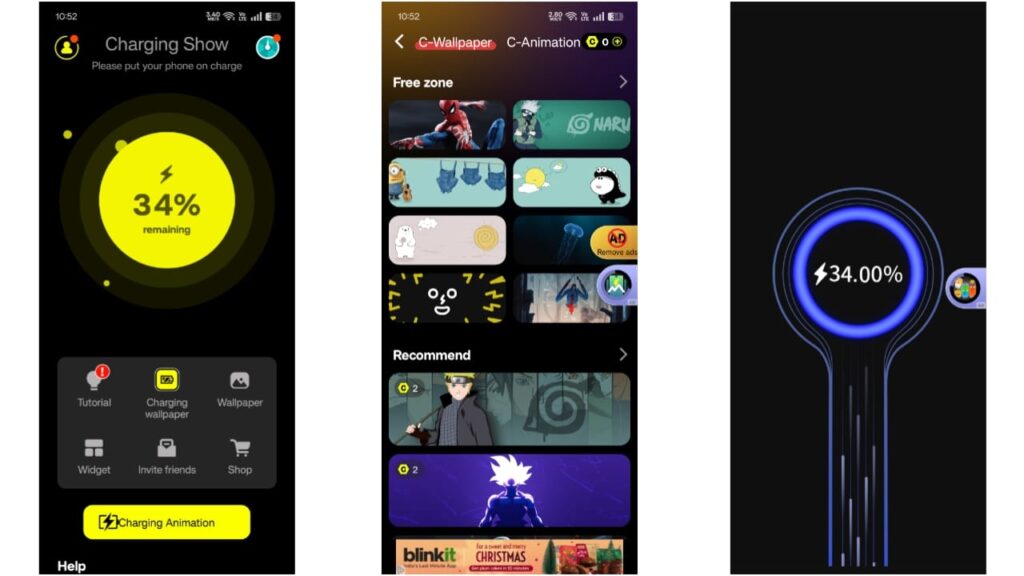
Here are some of the main features that make this app popular among Android users:
- More than 100 live battery charging animations
- Option to add your own picture on the charging screen
- Automatic animation display after connecting the charger
- Charging percentage shown on the screen
- Custom charging wallpaper upload option
- Shows last charging details (start and end battery percentage)
- Simple and user-friendly interface
- No technical knowledge required
How to Download Pika Charging Animation App Safely
Downloading apps from trusted sources is very important for device safety. Follow these steps to download the Pika app safely:
- Open the Google Play Store on your Android phone
- In the search bar, type “Pika Charging Animation Show”
- Open the app published on the Play Store
- Tap on the Install button
- Wait for the installation to complete
You should always download apps only from the official Google Play Store to avoid security risks.
How to Use Pika Charging Animation App (Step-by-Step)
After installing the app, follow these steps to use it properly:
Step 1: Open the App
Open the Pika Charging Animation app on your phone. When you open it for the first time, it may ask for some basic permissions. Allow the required permissions so the app can function correctly.
Step 2: Explore Charging Animations
On the home screen, you will see multiple options. Tap on “Charging Animation” to view different animation styles available in the app.
Step 3: Select Your Favorite Animation
Browse through the list and choose any charging animation you like. Some animations may require watching a short video to unlock, which is part of the app’s normal functionality.
Step 4: Customize the Animation
After selecting an animation, you can customize it according to your preference:
- Play Duration: Choose how long the animation will appear after plugging in the charger
- Closing Method: Select how to close the animation (single tap or double tap)
Step 5: Set the Animation
Once customization is complete, tap on “Set Now”. The charging animation will be applied successfully.
Now, whenever you connect your phone to a charger, the selected charging animation will appear automatically on the screen.
How to Add Your Own Picture on Battery Charging Screen
One of the best features of this app is the option to add your personal photo. Follow these steps to set your picture:
- Open the Pika app
- Tap on the “Plus (+)” button
- Choose Charging Wallpaper
- Select a photo from your gallery
- Adjust and crop the image if needed
- Tap on Complete and then the Tick (✔) icon
- Finally, tap on Set Now
After this, your selected image will appear on the screen whenever your phone is charging.
Is Pika Charging Animation App Safe to Use?
Yes, the Pika Charging Animation app is safe to use if downloaded from the official Google Play Store. It does not require root access and works normally on most Android devices.
However, like any customization app, it may display ads and request basic permissions needed for functionality. Always review app permissions before granting access.
Pros and Cons of Pika Charging Animation App
Pros:
- Easy to use
- Large collection of animations
- Personal photo support
- Works on most Android phones
- Improves visual appearance
Cons:
- Some animations require watching ads
- Does not affect battery performance
Also read: ReLens Camera – Focus and DSLR Blur
Who Should Use This App?
This app is suitable for:
- Android users who love customization
- Users who want a stylish charging screen
- People who want to add personal photos to charging animations
- Beginners looking for easy customization options
Install
Final Words
Charging a mobile phone is something we all do many times every day. With the Pika Charging Animation Show app, you can make this routine process more enjoyable and visually attractive. Instead of seeing the same default charging animation, you can display beautiful animations or even your own picture on the screen.
If you want to give your Android phone a fresh and stylish look while charging, this app is definitely worth trying.
Disclaimer
This article is for informational purposes only. We do not own or modify any application mentioned in this post. All app names, logos, and trademarks belong to their respective developers. Always download apps from official sources like Google Play Store.

Jatin Rajput (Tech Golu) — Tech blogger & YouTuber with 6+ years of experience in WhatsApp, Instagram, Facebook, and mobile guides. Founder of TechGolu.in.