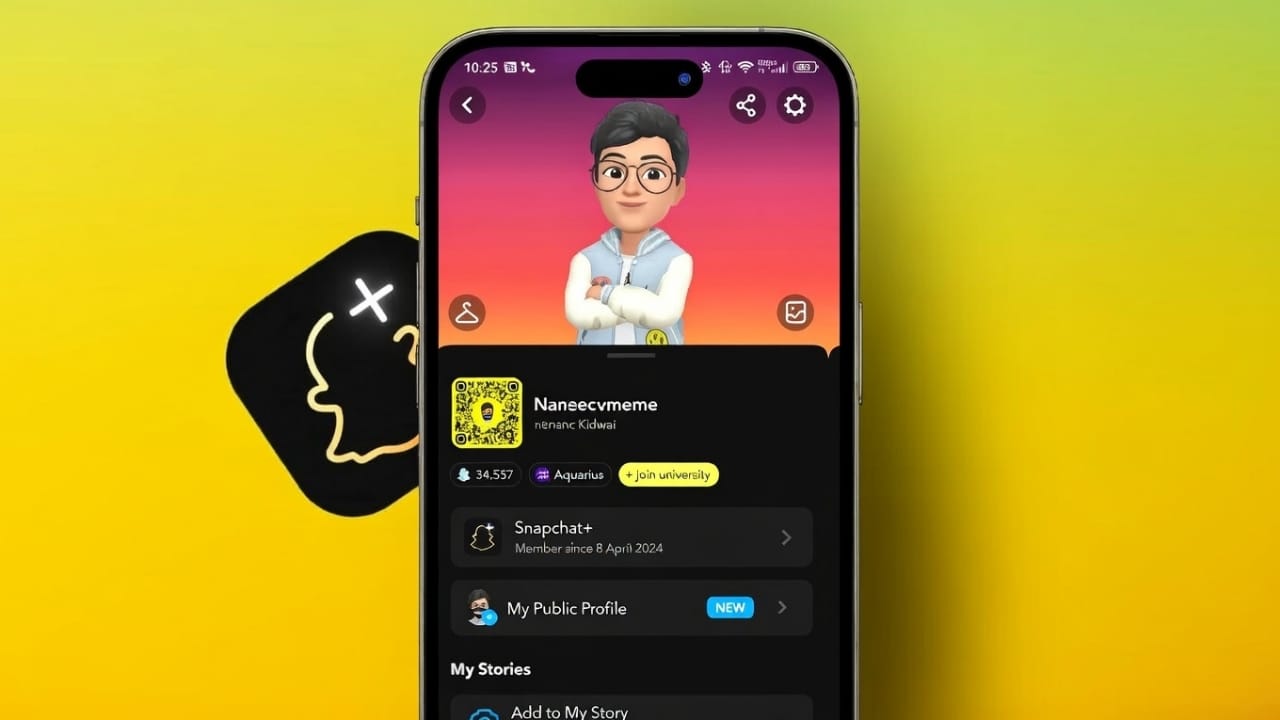
Snapchat has introduced a paid plan called Snapchat Plus, and it comes with extra features that are not available to free users. Because of these changes, many people notice unusual icons, story behavior, or chat options and wonder what they mean.
This guide explains, in very simple words, how you can identify possible signs of Snapchat Plus without guessing or invading anyone’s privacy. Nothing here is guaranteed on its own. You should always look at multiple signs together.
Also read: How to Create a Group Chat on Snapchat in 2026
What Is Snapchat Plus?
Snapchat Plus is a paid subscription offered by Snapchat. It runs alongside the free version and adds extra tools, early access features, and more customization options.
The free Snapchat app still works perfectly for chatting, snapping, and stories. Snapchat Plus is mainly useful for users who want more control, personalization, or advanced features.
Why People Want to Know Who Uses Snapchat Plus
People usually look for these signs because:
- They are curious about premium features
- They see options they don’t have
- They want to decide whether Plus is worth buying
- They want to understand why someone’s stories or chats behave differently
Knowing about Snapchat Plus helps clear confusion and avoids wrong assumptions.
Profile-Level Signs to Look For
Star Badge Near the Username
The most visible sign is a small star icon near a user’s display name. This star indicates an active Snapchat Plus subscription.
How to check:
- Open Snapchat
- Go to your Friends list
- Tap on a friend’s profile
- Look near their display name
Important: Some users turn this badge off, so not seeing it does not mean they don’t have Plus.
Special Bitmoji or AI Profile Backgrounds
Snapchat Plus offers exclusive Bitmoji profile backgrounds, including AI-generated designs. These backgrounds often look more artistic or premium.
Some AI backgrounds include a golden AI label, which is not available to free users.
What to check:
- Open the user’s profile
- Look at the Bitmoji background
- Check for AI tags or unusual premium designs
This is a strong sign, especially when combined with others.
Comic-Style Bitmoji Avatars
Some Snapchat Plus users can switch their Bitmoji into a comic or illustrated style. It looks different from the standard avatar design.
However, Snapchat sometimes tests new styles with random users, so this sign alone is not enough. It works best when paired with other indicators.
Story and Chat Behavior Clues
Stories That Stay Longer Than 24 Hours
Normal Snapchat stories disappear after one day. Snapchat Plus allows users to extend story duration, anywhere from one hour up to several days.
How to notice:
- View a story
- Check again after 24 hours
- See if the same story is still active
Be careful. Some people repost stories manually, so always check the content closely.
Premium Chat Backgrounds
Snapchat Plus users can apply custom or premium chat wallpapers, including special designs or images.
How to spot this:
- Open a chat
- Look at the background
- Notice if it looks customized or exclusive
Free users cannot use many of these designs, especially photo-based wallpapers.
Extra Snap Replays
Free users can replay a Snap only once. Snapchat Plus users can replay a Snap twice.
How this appears:
- You send a Snap
- You receive replay notifications
- Two replays usually mean Plus
Only the sender can see this, making it a quiet but reliable sign.
Custom View Emojis After Snaps
Snapchat Plus allows users to choose a custom emoji that appears when someone views their Snap.
What to look for:
- Open a Snap
- Check the chat list
- Look for an emoji next to the user’s name
Free users do not have this option.
Advanced Signs Inside Snapchat
Customized Snap Map Icons
Snapchat Plus allows extra Bitmoji details on Snap Map, such as pets or vehicles.
How to check:
- Open Snap Map
- Look at the friend’s Bitmoji
- Watch for pets or cars
Temporary event icons can appear for everyone, but constant custom icons usually suggest Plus.
Instant Snap Streaks
Normally, Snapstreaks appear after three days of exchanges. Snapchat Plus can enable instant streaks.
How it shows:
- Add a new friend
- Send the first Snap
- See a fire emoji immediately
This is a strong Plus indicator.
Peek-a-Peek Message Detection
Snapchat Plus offers a feature called Peek a Peek, which alerts users when someone half-swipes their chat to preview messages.
Free users never get such alerts. This feature must be turned on manually and only works when the Plus user is active.
Snap Score Increasing Faster Than Normal
Snap Score reflects Snapchat activity. Snapchat Plus includes tools that can increase Snap Score faster.
What to observe:
- Check Snap Score over time
- Notice frequent or sudden jumps
- Compare with actual activity
Heavy usage can also increase scores, so this sign alone is not proof.
Important Things to Keep in Mind
- Not all Snapchat Plus features are visible
- The star badge can be hidden
- Stories can be reposted
- Event icons can confuse users
- Snapchat tests features randomly
Never jump to conclusions based on one sign.
Can Users Hide Their Snapchat Plus Status?
Yes. Snapchat Plus users can keep their subscription private.
How they do it:
- Open Snapchat profile
- Go to Snapchat Plus settings
- Turn off the badge
They can also avoid using premium wallpapers or visible features.
Also read: Snapchat AI Dreams Feature Explained: What It Does, How to Use It, and What to Expect
Final Thoughts
There is no single feature that confirms Snapchat Plus on its own. The best way to identify it is by noticing multiple signs together.
Snapchat Plus focuses on customization, control, and extra options, but the free version is still enough for most users. Always respect privacy and avoid making assumptions.
Observation is fine. Judgment is not.

Jatin Rajput (Tech Golu) — Tech blogger & YouTuber with 6+ years of experience in WhatsApp, Instagram, Facebook, and mobile guides. Founder of TechGolu.in.