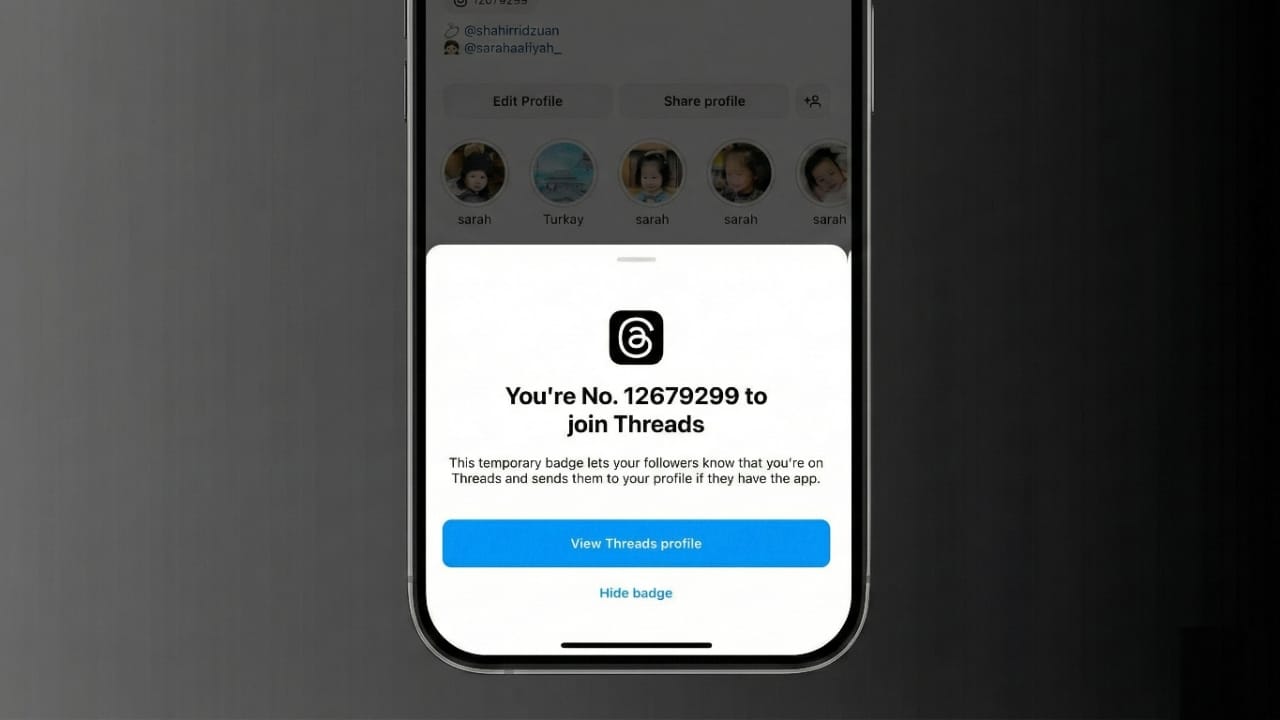
Many Instagram users prefer a clean and minimal profile. When you sign up for the Threads app, Instagram automatically adds a small Threads badge to your profile. While some people like it, others prefer to remove it.
The good news is that Instagram allows you to control this badge. In this guide, you’ll learn what the Threads badge is, why it appears, and how to hide or show it step by step in a simple way.
Also read: How to Link WhatsApp with Your Facebook Page for Better Business Results
What Is the Threads Badge on Instagram?
The Threads badge is a small icon that appears on your Instagram profile after you create a Threads account. It usually shows near your username or below your name section.
This badge works as a direct link to your Threads profile. When someone taps it, they are taken straight to your Threads account. Likewise, your Threads profile includes a link back to Instagram, making it easy to move between both apps.
When Threads was first launched, the badge looked different. It showed a unique number that represented the order in which you joined Threads. For example, a number like 150,000 meant you were among the first users worldwide. Later, Instagram removed this number feature.
Now, the badge is just a simple Threads icon. It only works as a shortcut and does not display any rank or special status.
Can You Remove the Threads Badge from Instagram?
Yes, you can hide the Threads badge from your Instagram profile. However, the method depends on which version of the badge you have.
- New Threads shortcut badge: Can be hidden and shown anytime.
- Old numbered Threads badge: Once removed, it cannot be restored.
Understanding this difference is important before taking action.
How to Hide the New Threads Badge on Instagram
If your profile has the newer Threads shortcut, you can remove it easily using either of these methods.
Method 1: Remove Directly from Profile
- Open Instagram and go to your profile.
- Find the Threads badge near your username.
- Press and hold the badge.
- Tap Remove when the option appears.
The badge will disappear immediately.
Method 2: Use Edit Profile Settings
- Open your Instagram profile.
- Tap Edit Profile.
- Look for the option Show Threads shortcut.
- Turn this switch off.
Once disabled, the badge will no longer appear on your profile.
How to Show the Threads Badge Again
If you’re using the new badge version, restoring it is simple.
- Go to your Instagram profile.
- Tap Edit Profile.
- Turn on Show Threads shortcut.
The Threads badge will reappear instantly. You can turn it on or off anytime without any issue.
How the Old Threads Badge Worked
The older Threads badge was different. It showed a joining number instead of just an icon. This version came with strict limitations.
To remove it:
- Open your Instagram profile.
- Tap on the numbered Threads badge.
- Select Hide badge.
- Confirm the warning message.
Instagram clearly stated that removing this badge was permanent. Once deleted, it could never be brought back.
This badge was designed as a launch-only feature and was not meant to be reusable.
Can the Old Threads Badge Be Restored?
No. If you removed the old badge that showed a joining number, it is gone forever. Instagram does not provide any option to recover it.
Only the new Threads shortcut badge allows hiding and unhiding whenever you want.
Why Some People Hide the Threads Badge
Many users choose to hide the badge for personal reasons, such as:
- Wanting a cleaner and simpler profile look
- Not actively using Threads
- Avoiding extra icons on their profile
At the same time, others prefer to keep it because:
- It helps followers find them on Threads easily
- It saves time by linking both profiles
- It supports audience growth across platforms
For creators and influencers, the badge can be useful for visibility. For casual users, hiding it may feel more comfortable.
Important Things to Know About the Threads Badge
- The badge appears automatically after joining Threads
- It only works as a profile shortcut
- Hiding the badge does not delete your Threads account
- The old numbered badge cannot be restored
- The new badge can be toggled on or off anytime
- It does not affect Instagram features or performance
Also read: How Instagram’s Collaborative Posts Feature Helps Creators Grow
Final Thoughts
Managing the Threads badge on Instagram is simple once you know which version you have. The newer badge gives you full control, while the older numbered badge was a one-time feature.
Whether you keep it or hide it depends on how you want your profile to look. The badge is optional, harmless, and does not impact your account in any technical way.
Choose what works best for you and enjoy a profile that matches your style.

Jatin Rajput (Tech Golu) — Tech blogger & YouTuber with 6+ years of experience in WhatsApp, Instagram, Facebook, and mobile guides. Founder of TechGolu.in.