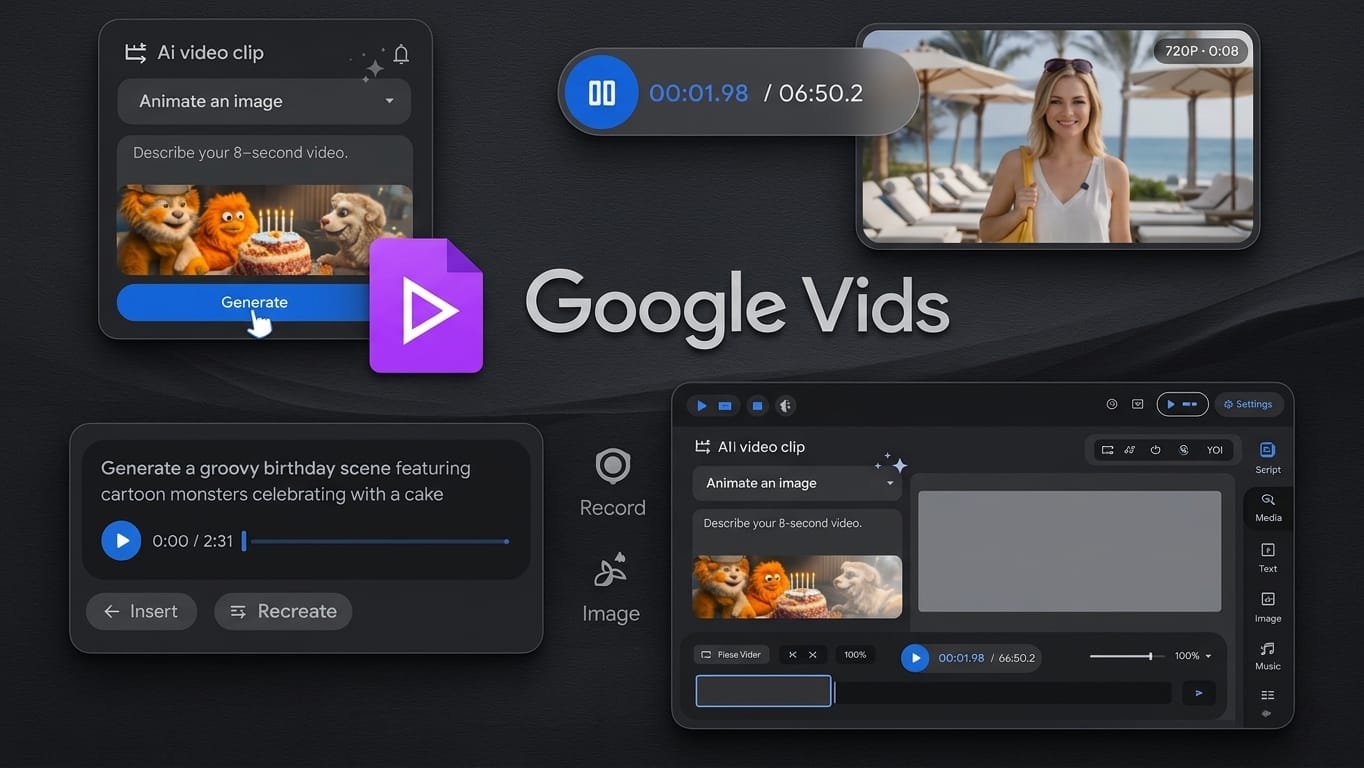
Google has rolled out a major update to its video creation platform, Google Vids. With this update, users can now make short AI-generated videos for free. Earlier, this feature was only available to paid subscribers. The addition of the new Veo 3.1 model, along with several useful tools, makes video creation easier and more accessible for everyone.
Also read: How to Remove Old Calendar Events in Outlook (Simple Guide for 2026)
Free AI Video Creation for Everyone
The biggest highlight of this update is that free users can now try AI video generation without paying anything. This opens the door for beginners and casual creators who want to experiment with AI tools.
Here’s what free users can do now:
- Create videos using simple text prompts or images
- Generate clips up to 8 seconds long
- Make up to 10 videos per month
Although there are some limits, it’s a good starting point for anyone curious about AI video creation.
AI-Generated Music for Better Content
Google has also added AI-powered music tools to improve video quality. Users can enhance their videos with background soundtracks that match the mood or theme.
With this feature, you can:
- Add music to your videos
- Generate tracks based on different styles or emotions
- Create longer audio clips for projects
At the moment, this feature is mainly available for paid users, but it adds strong value for those creating more detailed content.
AI Avatars for a Professional Look
Another important addition is AI avatars. These allow users to create a digital presenter for their videos.
You can:
- Use a virtual character to present content
- Keep a consistent look across multiple videos
- Customize voice, clothing, and background
This is especially helpful for tutorials, educational videos, and social media content where consistency matters.
Easier Recording With Chrome Extension
Google has simplified the recording process by introducing a built-in screen recording feature through a Chrome extension.
With this, users can:
- Record their screen or camera directly
- Capture content instantly without extra tools
- Add recordings straight into their video projects
This makes the entire workflow faster and more convenient.
Direct Upload to YouTube
Another time-saving feature is direct publishing to YouTube. Users no longer need to download videos and upload them manually.
Key benefits include:
- Upload videos directly from Google Vids
- Keep videos private before publishing
- Save time with a smoother process
This is especially useful for regular content creators.
Why This Update Matters
This update shows Google’s focus on making AI tools simple and widely available. Even beginners can now explore video creation without needing advanced skills or expensive software.
Main benefits include:
- Easy access for new users
- Faster video creation
- All tools available in one place
- Better control over creative output
It also puts Google in stronger competition with other AI video platforms.
Also read: How to Message on WhatsApp Without Saving a Number (Simple Official Way)
Final Thoughts
Google Vids is quickly growing into a powerful tool for AI-based video creation. By offering free access to key features and adding tools like avatars and music, it becomes useful for both beginners and experienced creators.
While the free version has some limits, it still provides enough features to explore and understand how AI video creation works.

Jatin Rajput (Tech Golu) — Tech blogger & YouTuber with 6+ years of experience in WhatsApp, Instagram, Facebook, and mobile guides. Founder of TechGolu.in.