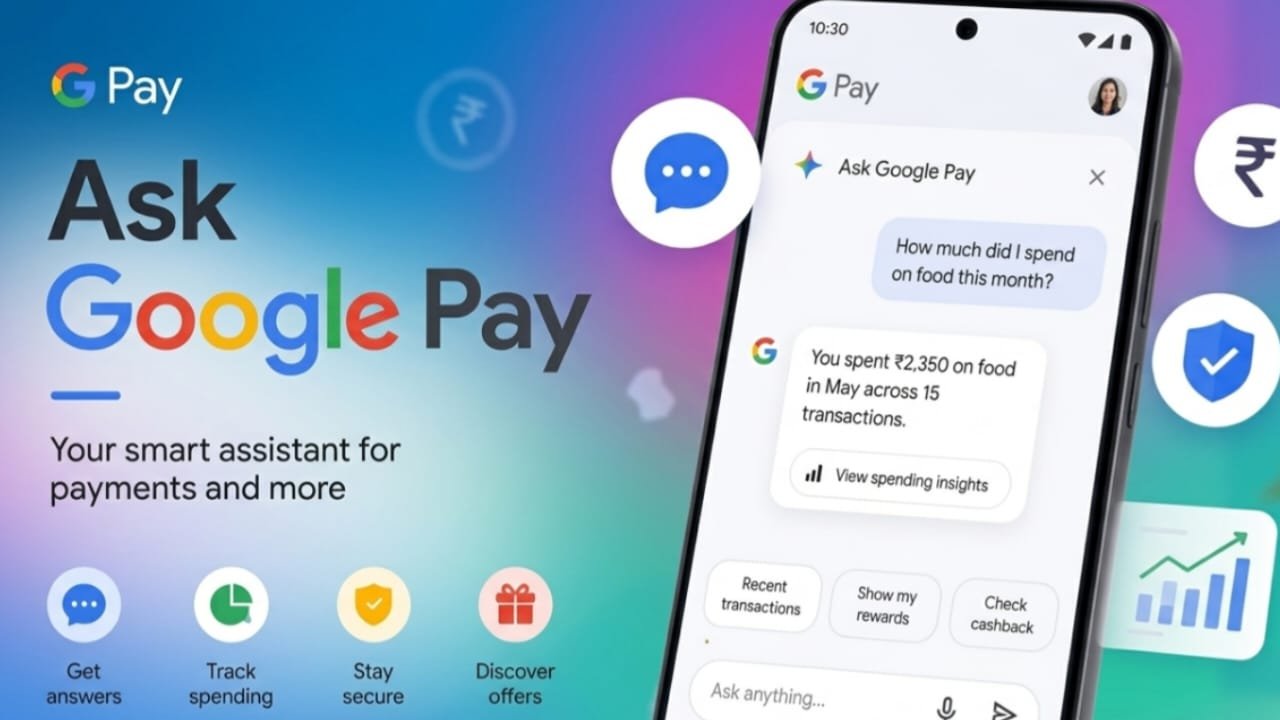
Google has introduced Ask Google Pay, a new AI-powered feature inside the Google Pay app for users in India. Built with Google’s Gemini AI technology, it acts as a personal finance assistant that helps you better understand your spending habits, manage expenses, and learn about financial topics through simple conversations.
Instead of searching through your transaction history manually, you can ask questions in everyday language and receive quick, easy-to-understand answers.
Also read: How to Change Your Profile Picture on Twitch (Easy Step-by-Step Guide)
What Is Ask Google Pay?
Ask Google Pay is an AI chatbot integrated into the Google Pay app. Once you allow the required permissions, it can review your transaction history to provide useful insights about your spending.
Advertisements
The feature is designed to make personal finance easier by helping users understand where their money goes, identify spending patterns, and get answers to common financial questions.
Key Features of Ask Google Pay
The AI assistant offers several useful tools to help you manage your finances more effectively.
Some of its main features include:
- Reviews your spending history.
- Breaks down expenses into categories.
- Creates visual charts and spending summaries.
- Highlights your spending habits and trends.
- Suggests practical ways to manage expenses.
- Recommends suitable credit cards and available offers based on your usage.
- Explains financial concepts such as SIPs, compound interest, credit scores, and tax regimes.
- Supports both voice and text conversations.
- Works in 10 Indian languages.
Questions You Can Ask
You can interact with Ask Google Pay using natural language. For example:
- How much did I spend on groceries last month?
- Show my UPI spending from last week.
- Explain compound interest in simple words.
- Which credit card may be suitable for my spending pattern?
- Compare the old and new tax regimes.
The chatbot responds based on your Google Pay transaction history, provided you have enabled the required permissions.
How to Enable Ask Google Pay
Before using the feature, you need to turn on personalization in the Google Pay app.
Follow these steps:
- Open the Google Pay app.
- Tap You at the bottom-right corner.
- Open Settings.
- Select Privacy & Security.
- Tap Data & Personalisation.
- Enable Personalisation.
Once Google makes the feature available for your account, you can start using it.
How to Use Ask Google Pay
After the feature appears in your app:
- Launch Google Pay.
- Tap Money from the bottom menu.
- Under Ask About Your Finances, select Ask a Question.
- A chat screen will open.
- Type your question or use voice input.
The AI assistant will analyze your available transaction data and provide personalized insights.
Is Ask Google Pay Safe?
Google states that the feature is designed with user privacy in mind. The AI accesses your transaction history only after you enable personalization within the app.
The information is used to generate personalized responses and financial insights. Users can manage these settings through the app whenever needed.
Is Ask Google Pay Free?
Yes. Google provides Ask Google Pay at no additional cost. Eligible users can access the feature without paying any extra subscription or usage fee.
Also read: How to Share a Twitch Link With Friends and Followers
Why Can’t I Find Ask Google Pay?
If the feature is not visible in your app, it may not have reached your account yet.
Google is rolling out Ask Google Pay gradually for eligible users in India. To improve your chances of receiving it sooner:
- Update Google Pay to the latest version.
- Make sure personalization is enabled.
- Wait for the rollout to reach your account.
Frequently Asked Questions (FAQs)
What is Ask Google Pay?
Ask Google Pay is an AI-powered assistant inside the Google Pay app that helps users understand their spending, learn financial concepts, and receive personalized insights using natural language.
Can it analyze my UPI transactions?
Yes. With your permission, the assistant can review your Google Pay transaction history to provide spending summaries, charts, and helpful insights.
Does Ask Google Pay cost anything?
No. The feature is available free for eligible Google Pay users.
Which languages are supported?
Ask Google Pay supports 10 Indian languages and allows both text and voice interactions.
Why is the feature missing from my app?
Google is releasing the feature in phases. If it is not available yet, update the app, enable personalization, and check again later.

Jatin Rajput (Tech Golu) — Tech blogger & YouTuber with 6+ years of experience in WhatsApp, Instagram, Facebook, and mobile guides. Founder of TechGolu.in.