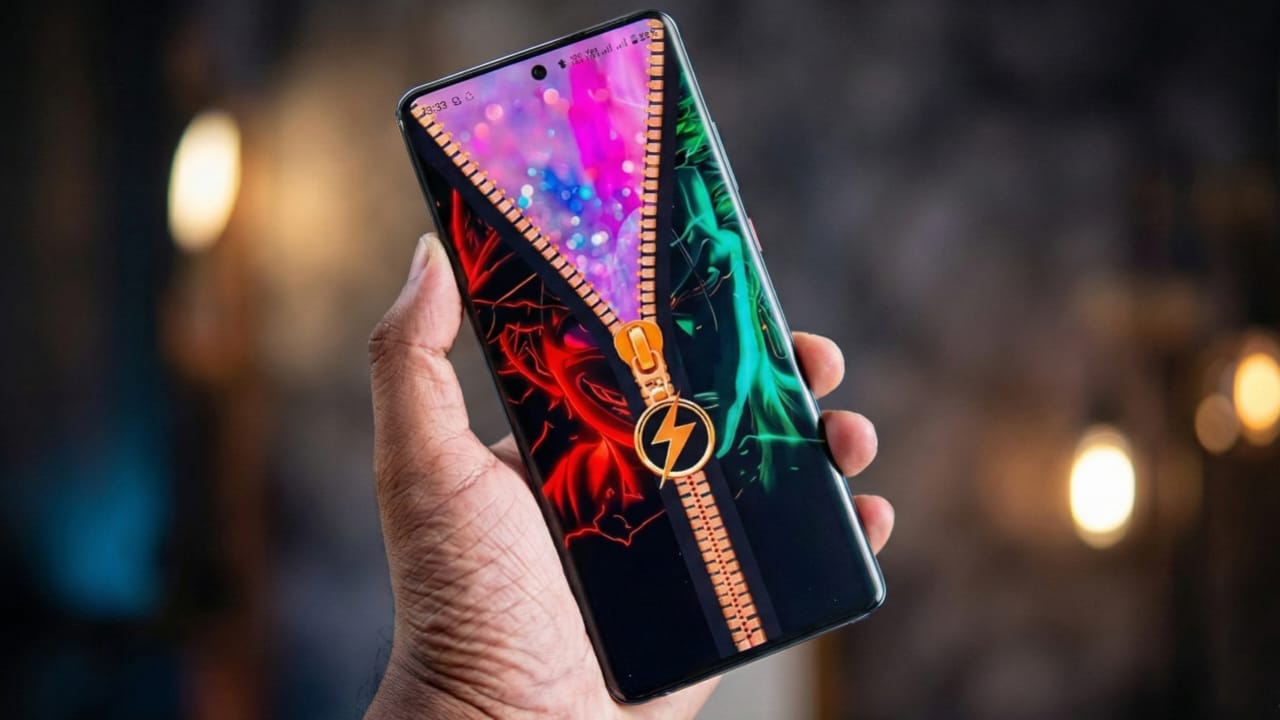
Smartphones have become an important part of our daily lives, and personalization plays a big role in how users experience their devices. Android users, in particular, enjoy customizing their phones with wallpapers, launchers, widgets, and lock screen apps.
Zipper Lock Screen – Stylish Themes & Live Wallpaper is an Android application designed to give the phone’s lock screen a visually different and interactive appearance. Instead of using the traditional swipe or button-based unlock method, this app introduces a zipper-style unlock effect that focuses on design and visual experience.
Also read: Pika Charging Animation Show – Add Your Picture on Battery Charging Screen (Android)
In this detailed guide, we will explain:
- What the Zipper Lock Screen app is
- Its main features
- How to download and install it
- How to use and customize it
- Battery and performance considerations
- Safety and security information
- Who this app is suitable for
This article is written for informational purposes and follows Google AdSense content policies.
What Is Zipper Lock Screen?
Zipper Lock Screen is a lock screen customization app available on the Google Play Store. The app changes the appearance of your phone’s lock screen by adding a zipper (chain) animation that users can drag to unlock the screen.
The main goal of this app is visual customization and personalization. It allows users to make their lock screen look different from the default Android lock screen by using themes, backgrounds, and animated effects.
It is important to note that this app does not replace Android’s built-in security system. It works as an additional visual lock screen layer.
Key Features of Zipper Lock Screen
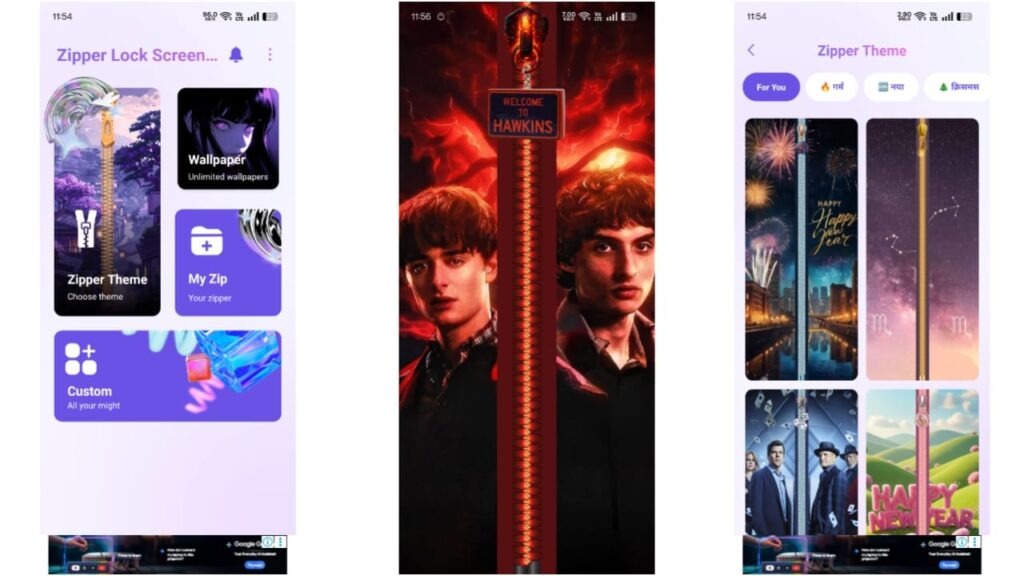
1. Zipper Style Unlock Design
The most noticeable feature of this app is the zipper-style unlocking mechanism. Instead of swiping or pressing a button, users pull a zipper handle on the screen to unlock the device.
This feature is purely visual and is meant to provide a unique unlocking experience.
2. Stylish Themes and Backgrounds
The app offers a variety of themes that include:
- Colorful backgrounds
- Minimal and dark styles
- Pattern-based designs
Users can switch between themes depending on their preference. Themes are designed to change the overall look of the lock screen without affecting the phone’s internal settings.
3. Live and Motion Effect Wallpapers
Some themes include motion or touch-based effects that respond when the user touches or moves the phone. These effects make the lock screen feel more interactive.
Performance of live wallpapers may vary depending on:
- Device model
- Android version
- System resources
4. Custom Theme Creation
Users can also create their own lock screen theme by:
- Selecting an image from the phone’s gallery
- Adjusting zipper color and style
- Changing background appearance
This feature allows users to personalize the lock screen using their own photos or designs.
5. Zipper Customization Options
The zipper itself can be customized in some versions of the app. Options may include:
- Zipper color
- Zipper style
- Handle design
Customization options may vary depending on the app update and device compatibility.
6. Lock Screen Notifications
The app can display basic notifications on the lock screen, such as:
- Missed calls
- Messages
- App notifications
This allows users to quickly view important information without unlocking the phone.
Notification visibility depends on Android system permissions.
7. Quick Access Shortcuts
Some lock screen layouts allow users to add shortcuts, such as:
- Camera
- Flashlight
- Music player
These shortcuts are optional and can be enabled or disabled from the app settings.
How to Download Zipper Lock Screen App
Follow these steps to download the app safely:
- Open the Google Play Store on your Android phone
- Search for “Zipper Lock Screen – Stylish Themes & Live Wallpaper”
- Verify the developer name and app details
- Tap on Install
- Wait for the installation to complete
Always download apps only from the official Google Play Store to avoid security risks.
Also read: ReLens Camera – Focus and DSLR Blur
How to Set Up and Use the App
Step 1: Open the App
After installation, open the app from your app drawer.
Step 2: Grant Required Permissions
The app may ask for permissions such as:
- Display over lock screen
- Notification access
Grant only the permissions you are comfortable with.
Step 3: Enable Zipper Lock Screen
Inside the app:
- Enable the zipper lock screen option
- Set it as your active lock screen (as guided by the app)
Step 4: Choose a Theme
Select a theme from the available list or create a custom theme using your own image.
Step 5: Customize Zipper Settings
Adjust zipper appearance, animation style, or background options if available.
Step 6: Lock and Test
Turn off your screen and lock your phone.
You should now see the zipper lock screen. Drag the zipper to unlock.
Security and Privacy Information
Zipper Lock Screen is a visual lock screen app. For better device protection:
- Continue using your phone’s default PIN, pattern, or biometric lock
- Do not rely on third-party lock screen apps for primary security
The app may provide an additional layer of visual locking but should not be considered a replacement for Android’s built-in security system.
Battery and Performance Considerations
The app is designed to be lightweight, but battery usage may depend on:
- Live wallpaper usage
- Screen-on time
- Device hardware
To reduce battery consumption:
- Avoid heavy animated wallpapers
- Disable unnecessary effects
- Close unused background apps
Performance may vary from device to device.
Who Should Use This App?
This app may be suitable for:
- Users who enjoy customizing their phone’s appearance
- Android users looking for a different lock screen design
- Users who prefer visual personalization over default layouts
It may not be ideal for users who prioritize minimal design or maximum battery efficiency.
Also read: How to Fix Slow and Laggy Internet at Home
Advantages and Limitations
Advantages
- Unique zipper-style unlock design
- Multiple themes and customization options
- Easy to install and use
- Supports basic notifications and shortcuts
Limitations
- Not a replacement for system security
- Live wallpapers may affect battery life
- Customization options depend on device compatibility
Install
Final Thoughts
Zipper Lock Screen – Stylish Themes & Live Wallpaper is a customization-focused Android app that aims to make the lock screen more visually appealing. It offers zipper-style unlocking, themes, and optional live effects for users who enjoy personalizing their devices.
Before using any lock screen app, users should understand its purpose and limitations. When used correctly alongside Android’s default security features, this app can enhance the visual experience of the lock screen without affecting system functionality.
If you are interested in lock screen customization, you can explore this app on the Google Play Store and decide whether it fits your personal preferences.

Jatin Rajput (Tech Golu) — Tech blogger & YouTuber with 6+ years of experience in WhatsApp, Instagram, Facebook, and mobile guides. Founder of TechGolu.in.